flinkcdc streaming 采集mysql的坑(1)
背景
今天在调试程序,发现flinkcdc到kafka的时间字段有问题,date类型给做了计算变成了数值,datetime类型的变成了时间戳long。不能忍受,必须得改过来。做个记录,既然踩过坑了,也希望能帮助一些小伙伴避坑。
时间字段
在mysql好好的时间格式,比如 2026-04-14 12:30:33 到了kafka变成了long类型的时间戳,那肯定写入到es也就是long类型了。日期类型改成了int类型。
导致的问题就是flink消费kafka写入es以后字段的值都不对了,只能从cdc这里进行修改。索引通过搜索找到了一个转换器。https://github.com/holmofy/debezium-datetime-converter/releases
修改代码
读取mysql
按照上一篇文章的内容,在配置这里加入转换器的配置即可。
        // 1. 启用转换器,名字可随意(这里用 "datetime")
        debeziumProperties.setProperty("converters", "datetime");
// 2. 指定转换器类的全限定名(两种方案二选一,见下文)
        debeziumProperties.setProperty("datetime.type", "com.darcytech.debezium.converter.MySqlDateTimeConverter");
//// 3. 指定数据库类型(有些转换器需要)
//        debeziumProperties.setProperty("datetime.database.type", "mysql");
// 4. 配置输出格式(核心!)
        debeziumProperties.setProperty("datetime.format.date", "yyyy-MM-dd");           // DATE → 字符串
        debeziumProperties.setProperty("datetime.format.datetime", "yyyy-MM-dd HH:mm:ss"); // DATETIME → 字符串
        debeziumProperties.setProperty("datetime.format.timestamp", "yyyy-MM-dd HH:mm:ss");// TIMESTAMP → 字符串
// 5. 时区设置(避免差8小时问题)
        debeziumProperties.setProperty("datetime.format.timestamp.zone", "UTC+8");
kafka内容
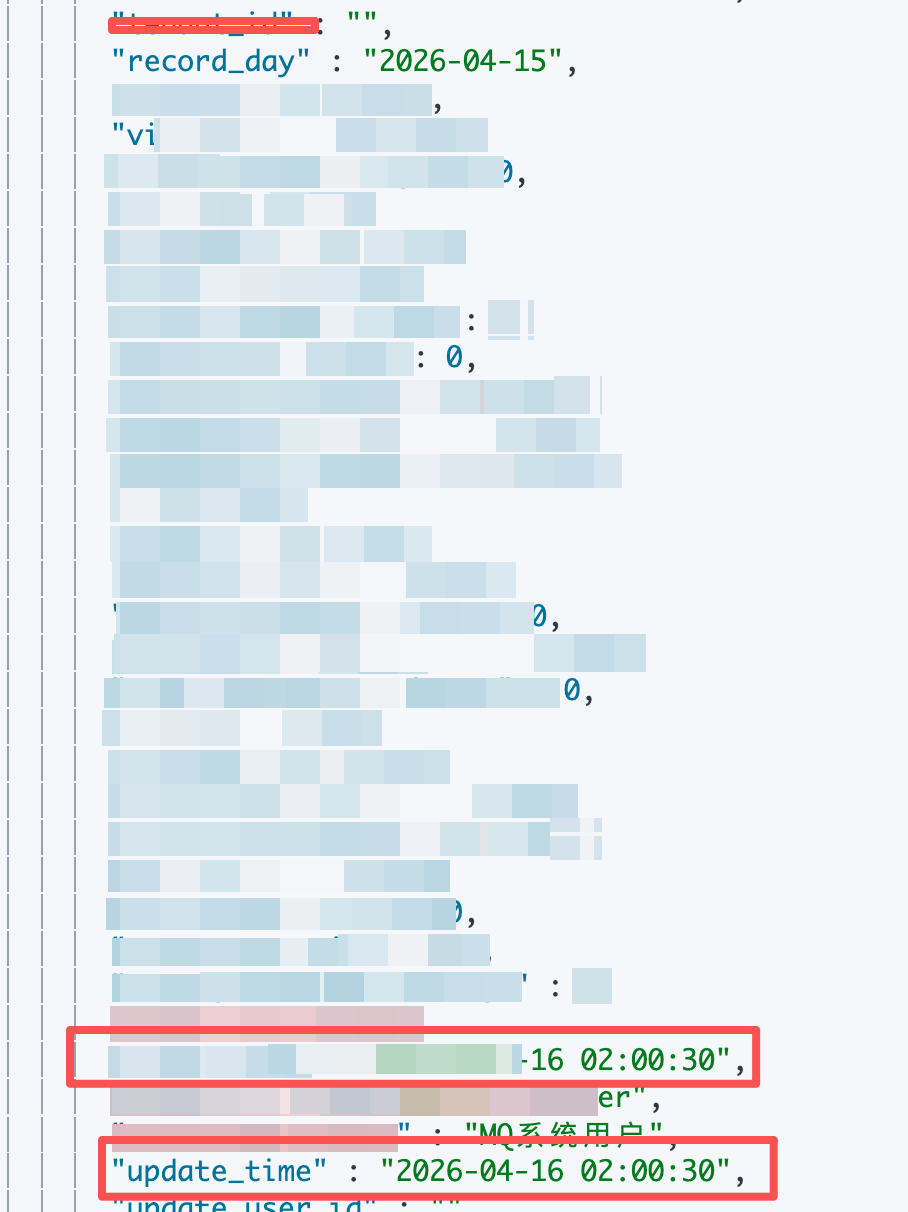
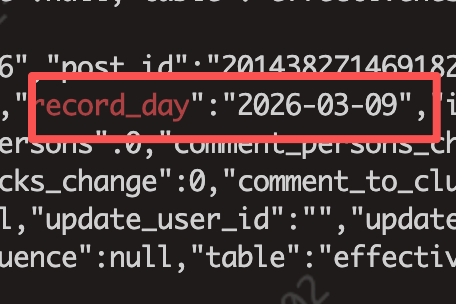
截图如下,之前的record_day日期是一个int类型,现在加入了转换器终于可以正确显示了。
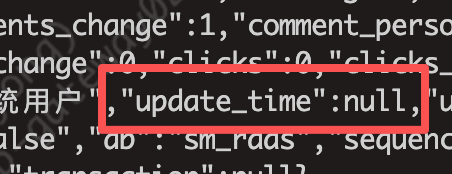
下一个问题是时间类型字符变成了null,怎么办?直接把源代码扔给ai让它帮忙分析,之后找到了是因为这个项目只针对增量的监控,如果初始化快照对应time类型是不能转换的。所以自己按照这个工程的转换器把缺少的部分补上。之后咱们再看结果。前后一对比,还真没毛病。有了AI还是提升不少工作效率啊!

部署
- 代码展示 MySqlDateTimeConverter 中处理时间的部分修改
 private String convertDateTime(Object input) {
        if (input == null) {
            return null;
        }
        try {
            // CDC 增量阶段:LocalDateTime
            if (input instanceof LocalDateTime) {
                return datetimeFormatter.format((LocalDateTime) input);
            }
            // 快照阶段:java.sql.Timestamp
            if (input instanceof java.sql.Timestamp) {
                LocalDateTime localDateTime = ((java.sql.Timestamp) input).toLocalDateTime();
                return datetimeFormatter.format(localDateTime);
            }
            // 兜底:Long 类型毫秒值
            if (input instanceof Long) {
                long millis = (Long) input;
                Instant instant = Instant.ofEpochMilli(millis);
                // 使用配置的时区,而不是系统默认
                LocalDateTime localDateTime = LocalDateTime.ofInstant(instant, timestampZoneId);
                return datetimeFormatter.format(localDateTime);
            }
            // 其他可能的类型
            if (input instanceof java.util.Date) {
                java.util.Date date = (java.util.Date) input;
                Instant instant = date.toInstant();
                LocalDateTime localDateTime = LocalDateTime.ofInstant(instant, timestampZoneId);
                return datetimeFormatter.format(localDateTime);
            }
            log.warn("Unsupported DATETIME type: {}, value: {}", input.getClass().getName(), input);
            return null;
        } catch (Exception e) {
            log.error("Failed to convert DATETIME value: {}", input, e);
            return null;
        }
    }
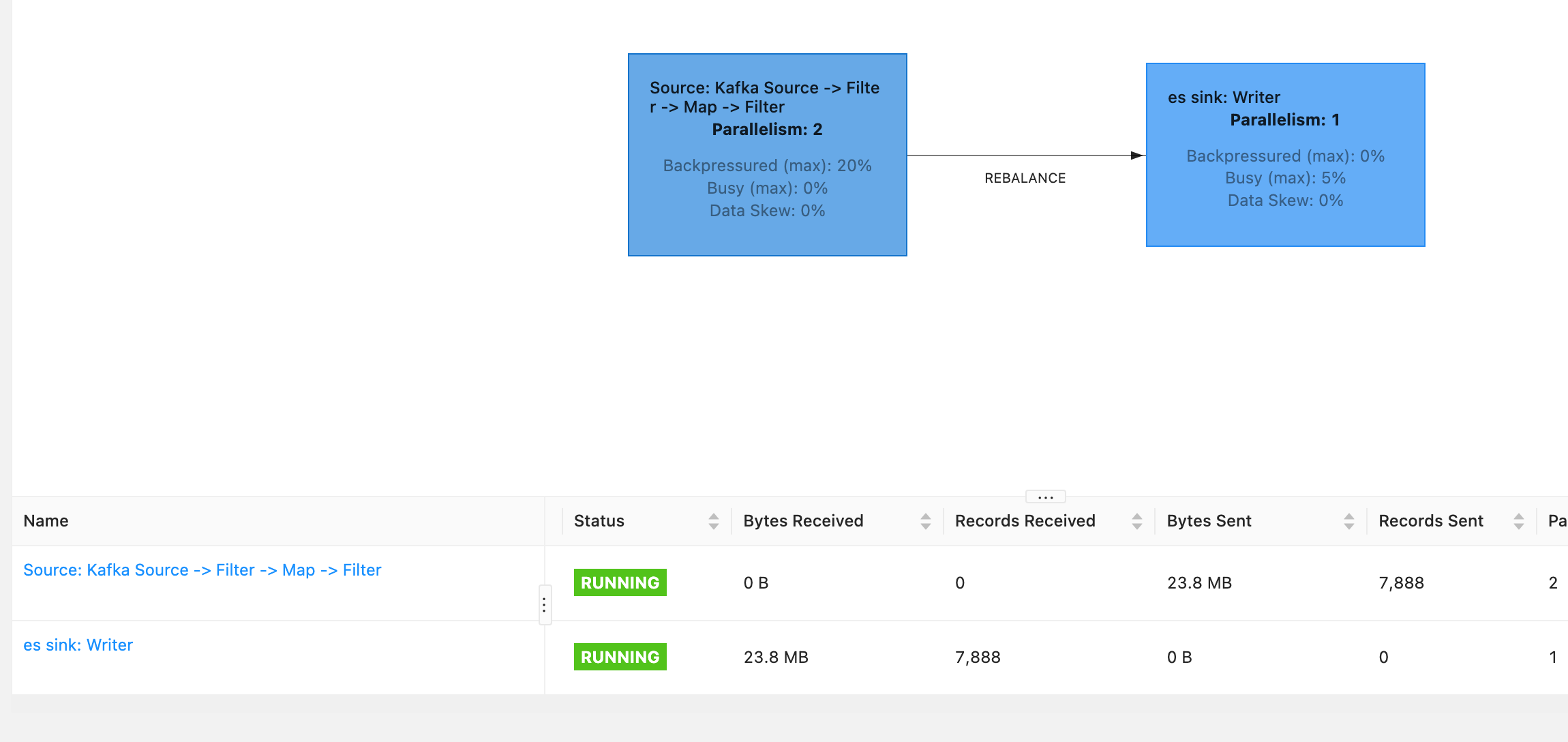
- kafka的数据能够保证正确显示了,接下来就是提交任务写入es的结果查看了。上一篇我们已经写了怎么写入es了,直接上写入的结果吧。

`
总结
还是要多做,才能发现问题,多去尝试才会有成长。
© 版权声明
文章版权归作者所有,未经允许请勿转载。