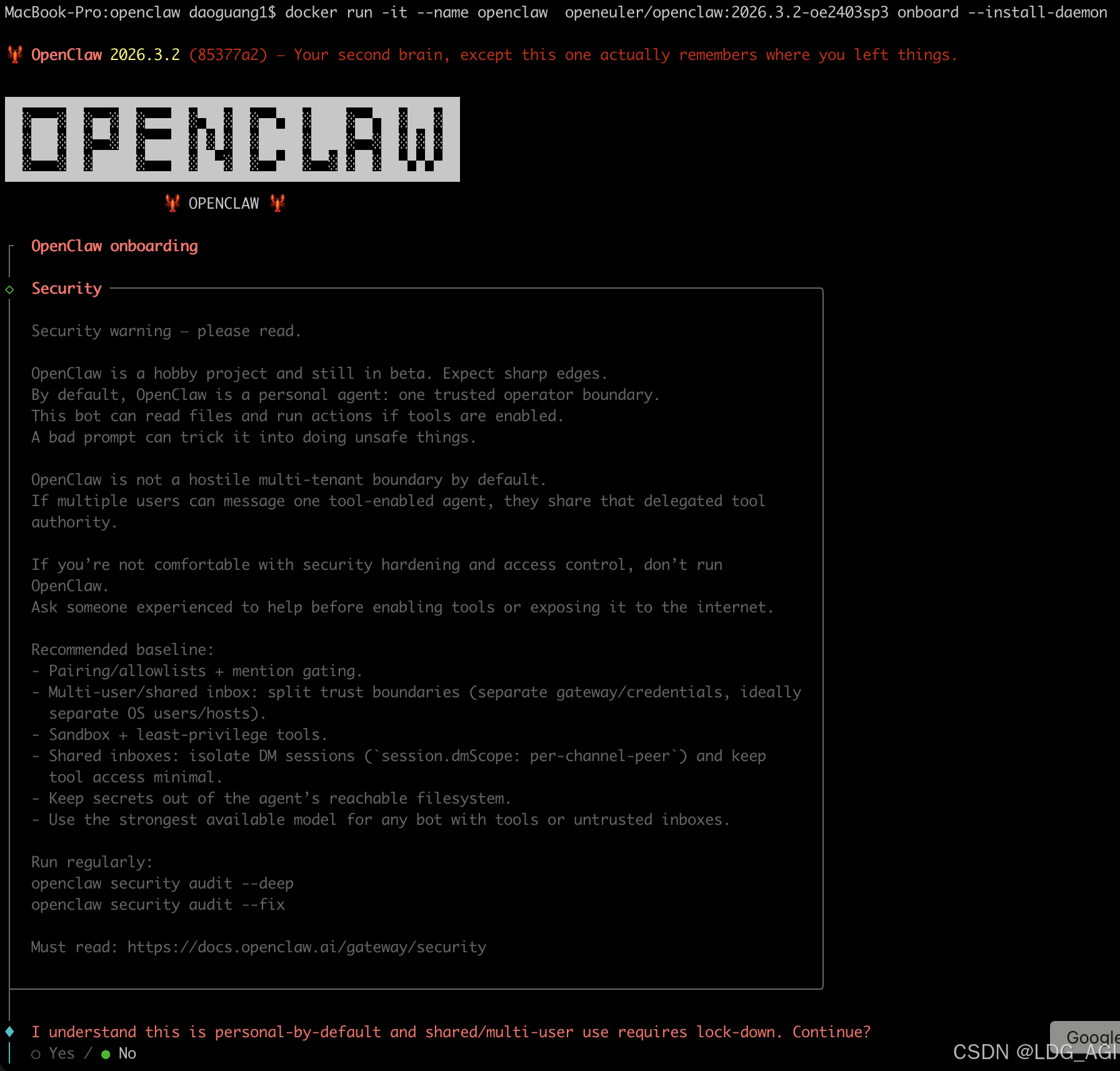
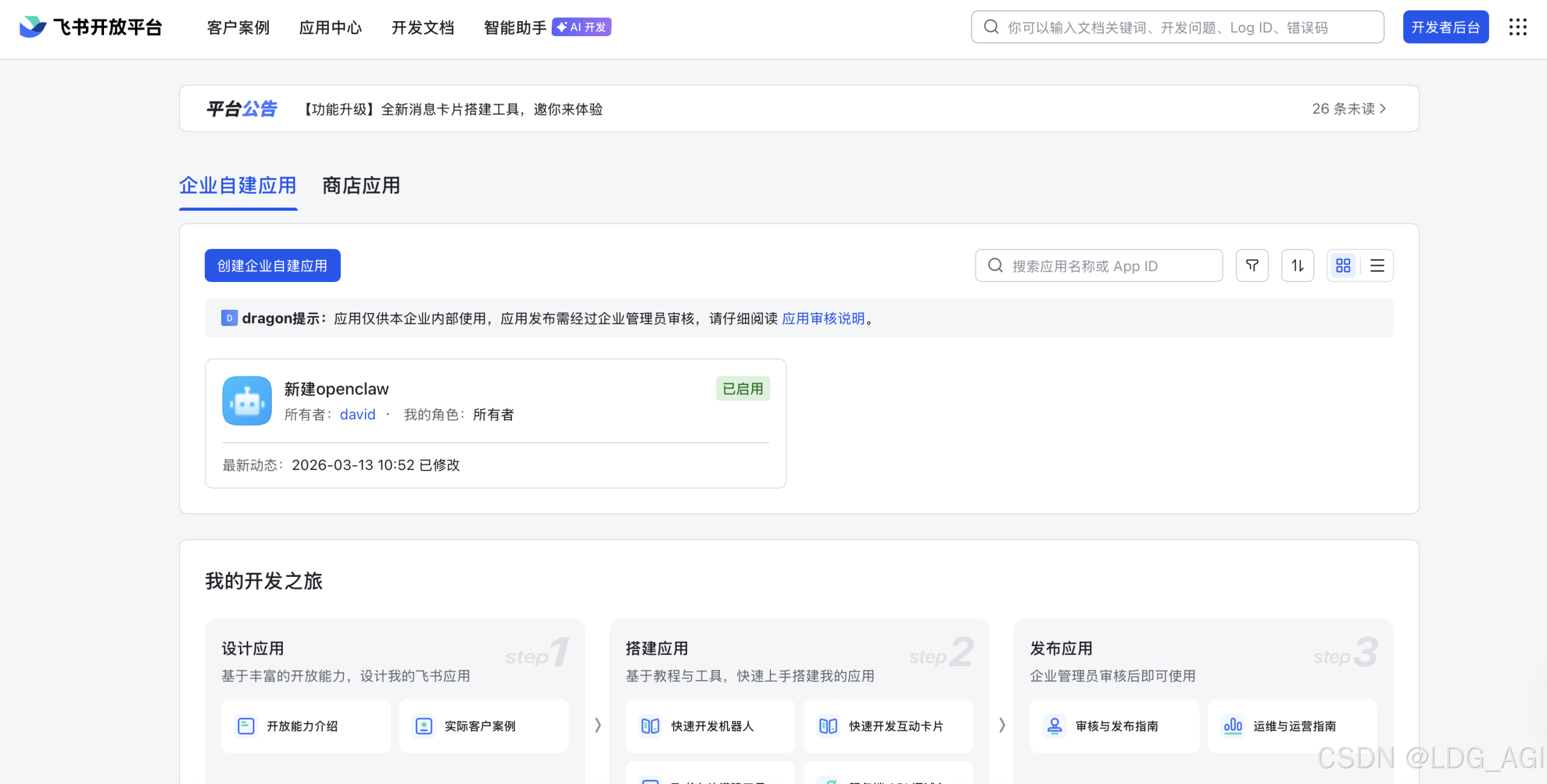
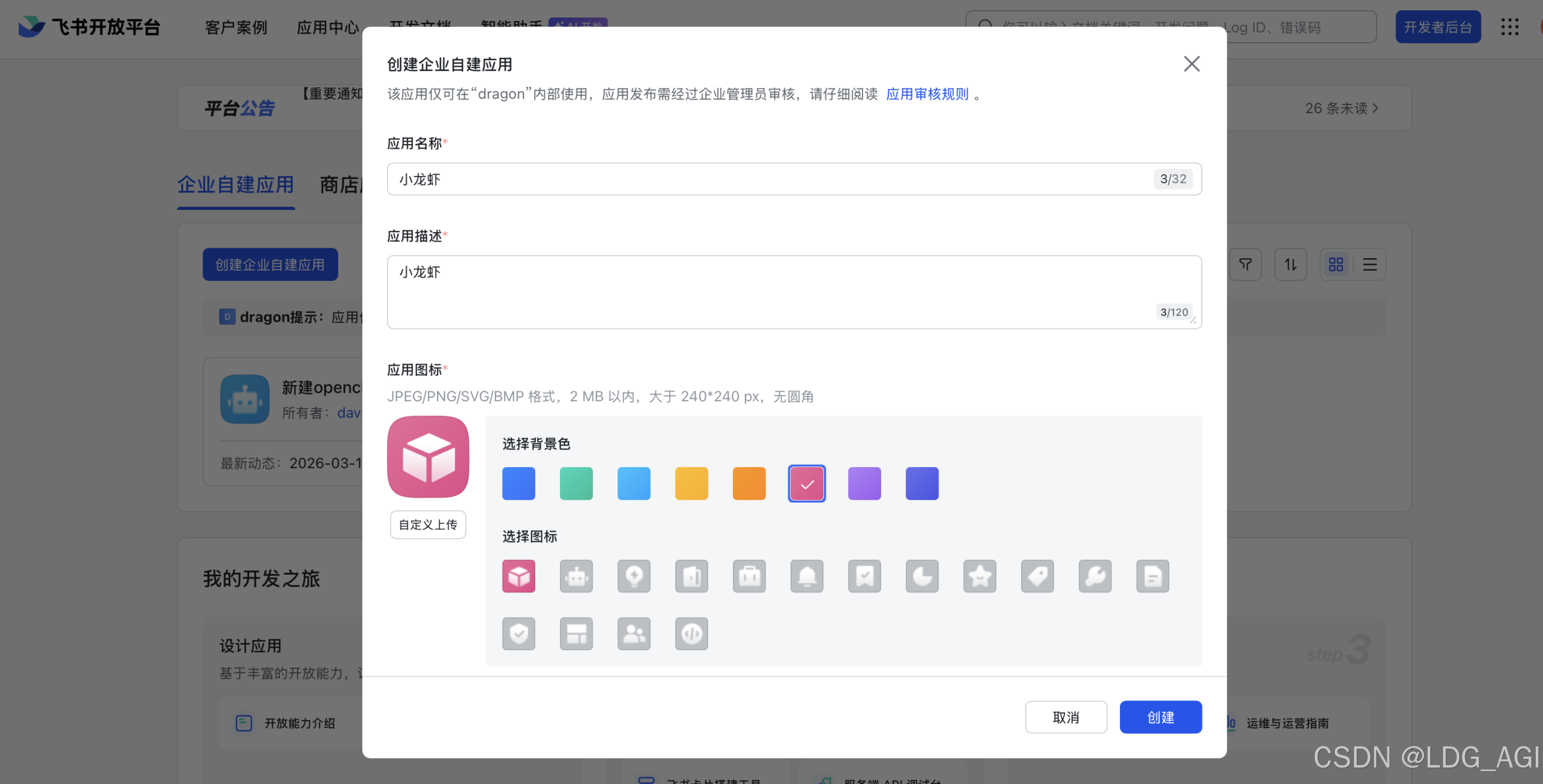
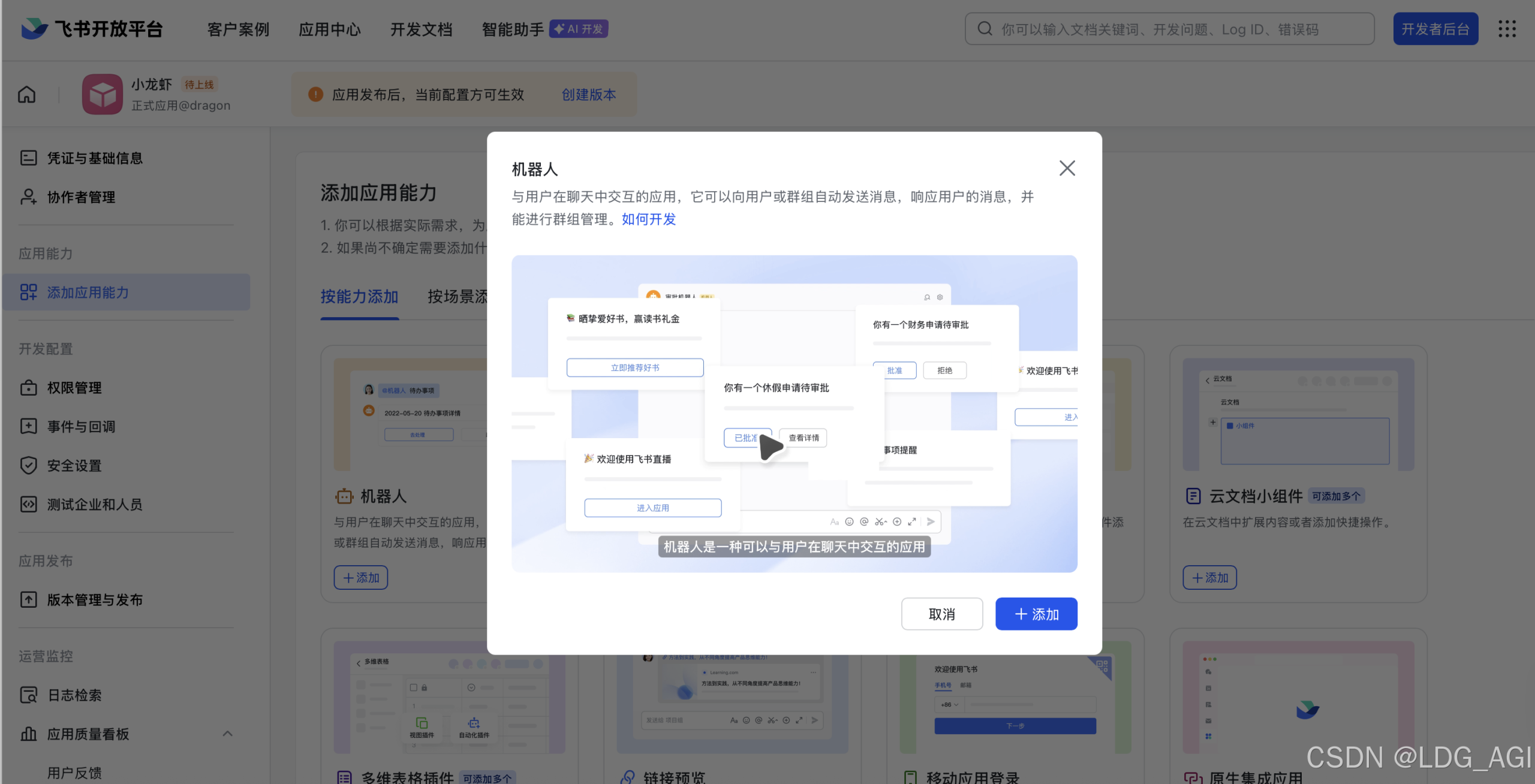
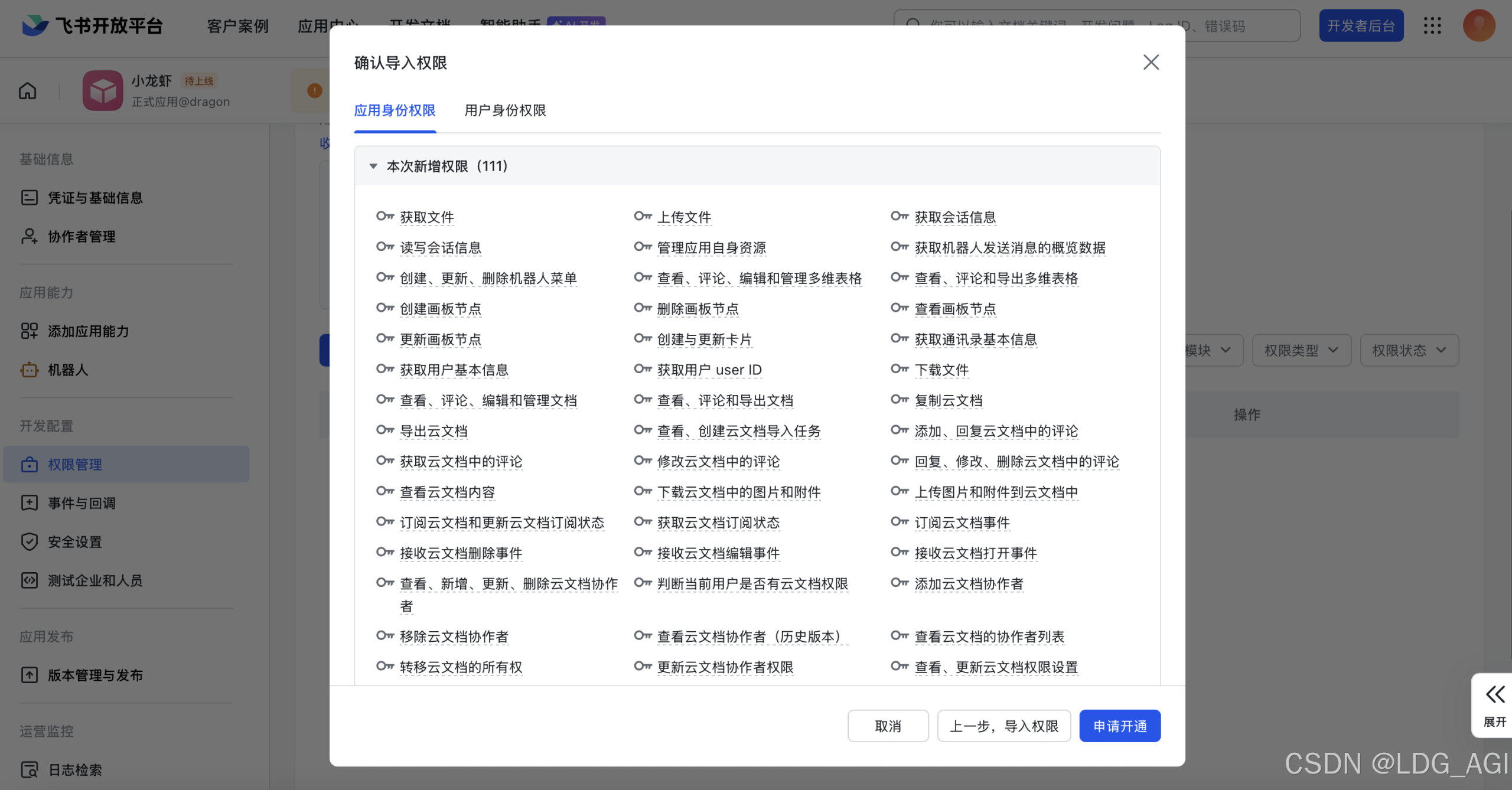
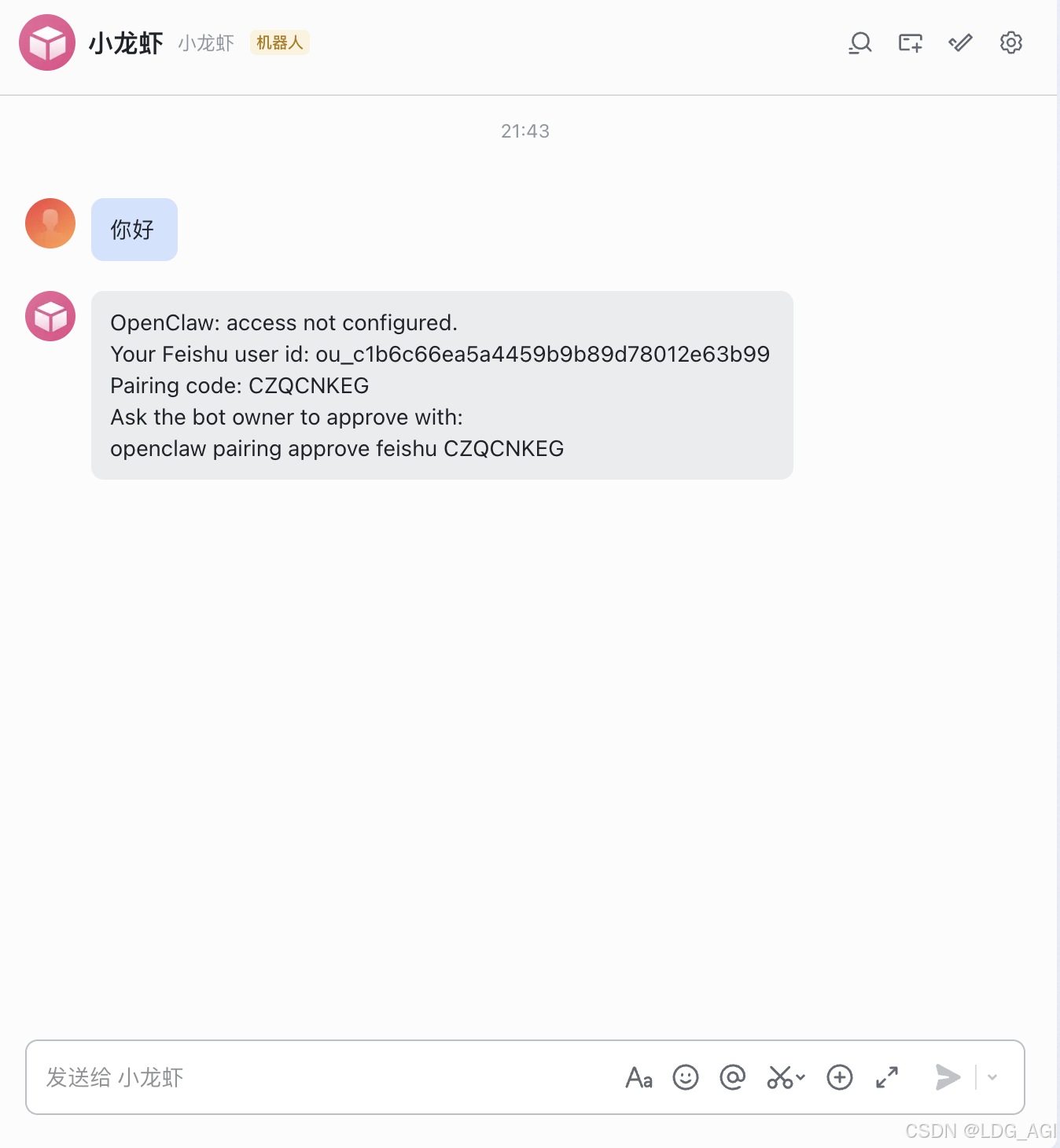
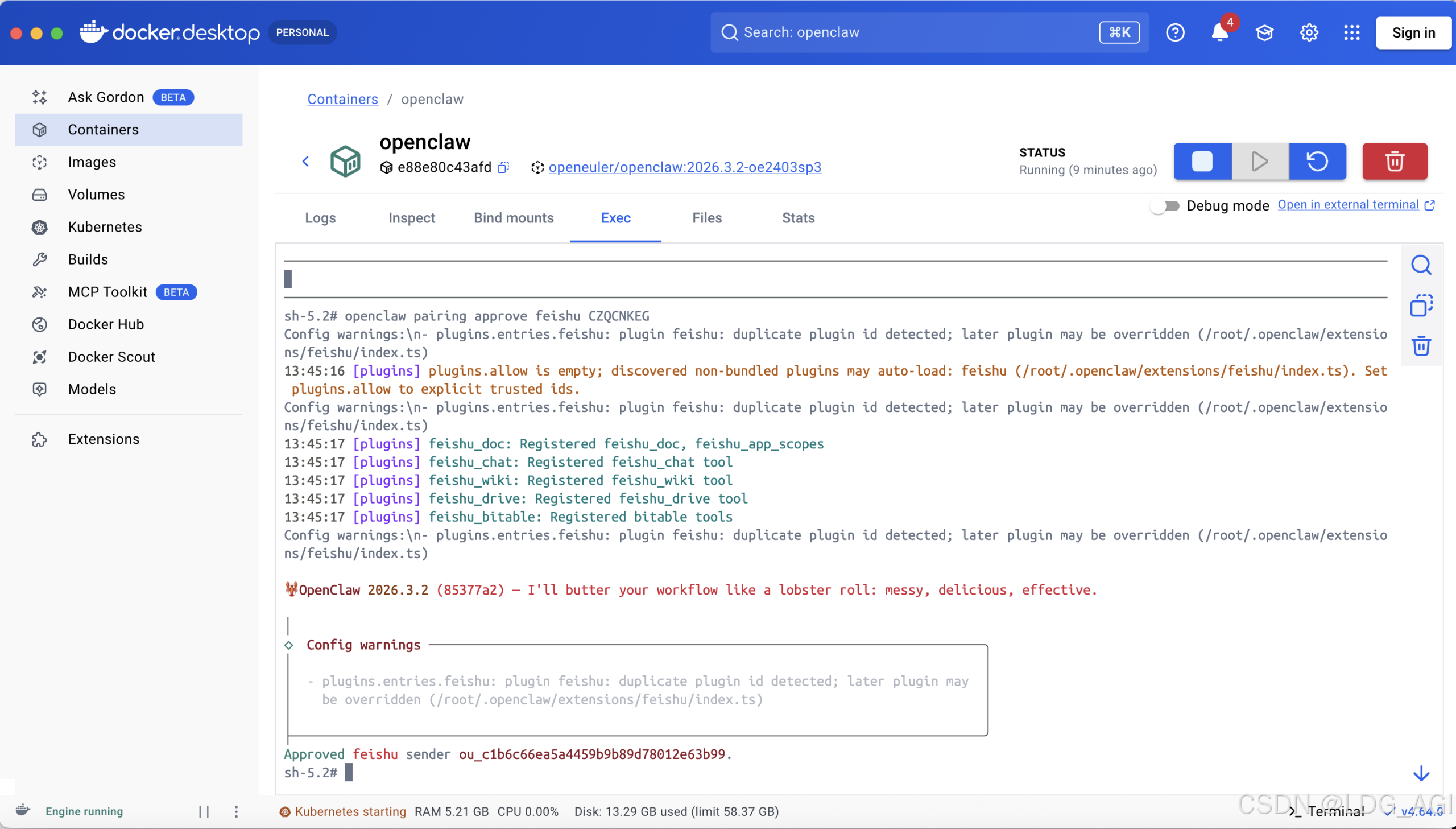
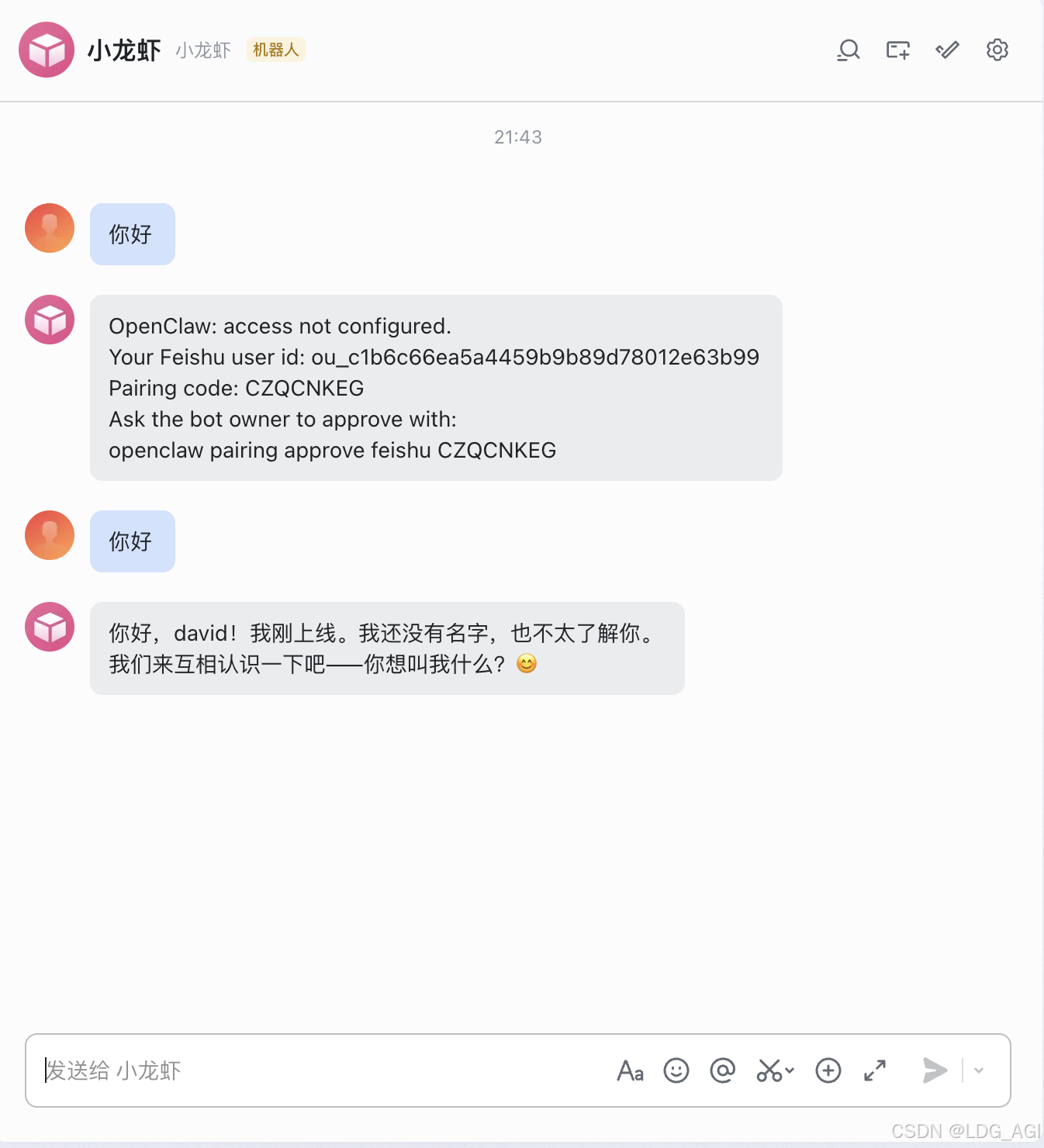
docker run -it --name openclaw openeuler/openclaw:2026.3.2-oe2403sp3 onboard --install-daemon
2.4 自己购买的大模型API配置
◇  I understand this is personal-by-default and shared/multi-user use requires lock-down. Continue?(“我明白这是默认个人私有的,共享/多用户使用则需要加以限制。是否继续?”)
│  Yes
│
◇  Onboarding mode
│  QuickStart
│
◇  QuickStart ─────────────────────────╮
│                                      │
│  Gateway port: 18789                 │
│  Gateway bind: Loopback (127.0.0.1)  │
│  Gateway auth: Token (default)       │
│  Tailscale exposure: Off             │
│  Direct to chat channels.            │
│                                      │
├──────────────────────────────────────╯
│
◇  Model/auth provider
│  Custom Provider
│
◇  API Base URL
│  https://api.xxxx.com/v1(自己大模型服务的api)
│
◇  How do you want to provide this API key?
│  Paste API key now
│
◇  API Key (leave blank if not required)
│  sk-XXXXXXXXXXXXXXXXXXXXX(自己大模型服务的API Key)
│
◇  Endpoint compatibility
│  OpenAI-compatible
│
◇  Model ID
│  claude-sonnet-4-6(自己大模型服务的模型ID)
│
◇  Verification successful.
│
◇  Endpoint ID
│  custom-api-xxx-ai(自定义EndpointID)
│
◇  Model alias (optional)
│
Configured custom provider: custom-api-xxx-ai/claude-sonnet-4-6
◇  Channel status ────────────────────────────╮
│                                             │
│  Telegram: needs token                      │
│  WhatsApp (default): not linked             │
│  Discord: needs token                       │
│  Slack: needs tokens                        │
│  Signal: needs setup                        │
│  signal-cli: missing (signal-cli)           │
│  iMessage: needs setup                      │
│  imsg: missing (imsg)                       │
│  IRC: not configured                        │
│  Google Chat: not configured                │
│  Feishu: install plugin to enable           │
│  Google Chat: install plugin to enable      │
│  Nostr: install plugin to enable            │
│  Microsoft Teams: install plugin to enable  │
│  Mattermost: install plugin to enable       │
│  Nextcloud Talk: install plugin to enable   │
│  Matrix: install plugin to enable           │
│  BlueBubbles: install plugin to enable      │
│  LINE: install plugin to enable             │
│  Zalo: install plugin to enable             │
│  Zalo Personal: install plugin to enable    │
│  Synology Chat: install plugin to enable    │
│  Tlon: install plugin to enable             │
│                                             │
├─────────────────────────────────────────────╯
│
◇  How channels work ───────────────────────────────────────────────────────────────────────╮
│                                                                                           │
│  DM security: default is pairing; unknown DMs get a pairing code.                         │
│  Approve with: openclaw pairing approve <channel> <code>                                  │
│  Public DMs require dmPolicy="open" + allowFrom=["*"].                                    │
│  Multi-user DMs: run: openclaw config set session.dmScope "per-channel-peer" (or          │
│  "per-account-channel-peer" for multi-account channels) to isolate sessions.              │
│  Docs: channels/pairing              │
│                                                                                           │
│  Telegram: simplest way to get started — register a bot with @BotFather and get going.    │
│  WhatsApp: works with your own number; recommend a separate phone + eSIM.                 │
│  Discord: very well supported right now.                                                  │
│  IRC: classic IRC networks with DM/channel routing and pairing controls.                  │
│  Google Chat: Google Workspace Chat app with HTTP webhook.                                │
│  Slack: supported (Socket Mode).                                                          │
│  Signal: signal-cli linked device; more setup (David Reagans: "Hop on Discord.").         │
│  iMessage: this is still a work in progress.                                              │
│  Feishu: 飞书/Lark enterprise messaging with doc/wiki/drive tools.                        │
│  Nostr: Decentralized protocol; encrypted DMs via NIP-04.                                 │
│  Microsoft Teams: Bot Framework; enterprise support.                                      │
│  Mattermost: self-hosted Slack-style chat; install the plugin to enable.                  │
│  Nextcloud Talk: Self-hosted chat via Nextcloud Talk webhook bots.                        │
│  Matrix: open protocol; install the plugin to enable.                                     │
│  BlueBubbles: iMessage via the BlueBubbles mac app + REST API.                            │
│  LINE: LINE Messaging API bot for Japan/Taiwan/Thailand markets.                          │
│  Zalo: Vietnam-focused messaging platform with Bot API.                                   │
│  Zalo Personal: Zalo personal account via QR code login.                                  │
│  Synology Chat: Connect your Synology NAS Chat to OpenClaw with full agent capabilities.  │
│  Tlon: decentralized messaging on Urbit; install the plugin to enable.                    │
│                                                                                           │
├───────────────────────────────────────────────────────────────────────────────────────────╯
│
◇  Select channel (QuickStart)
│  Feishu/Lark (飞书)
│
◇  Install Feishu plugin?
│  Download from npm (@openclaw/feishu)
Downloading @openclaw/feishu…
Extracting /tmp/openclaw-npm-pack-jlpXLF/openclaw-feishu-2026.3.13.tgz…
WARNING: Plugin "feishu" contains dangerous code patterns: Environment variable access combined with network send — possible credential harvesting (/tmp/openclaw-plugin-62J8G3/extract/package/src/client.test.ts:74); Environment variable access combined with network send — possible credential harvesting (/tmp/openclaw-plugin-62J8G3/extract/package/src/client.ts:12)
Installing to /root/.openclaw/extensions/feishu…
Installing plugin dependencies…
12:38:31 [plugins] plugins.allow is empty; discovered non-bundled plugins may auto-load: feishu (/root/.openclaw/extensions/feishu/index.ts). Set plugins.allow to explicit trusted ids.
│
◇  Feishu credentials ──────────────────────────────────────────────────────────────╮
│                                                                                   │
│  1) Go to Feishu Open Platform (open.feishu.cn)                                   │
│  2) Create a self-built app                                                       │
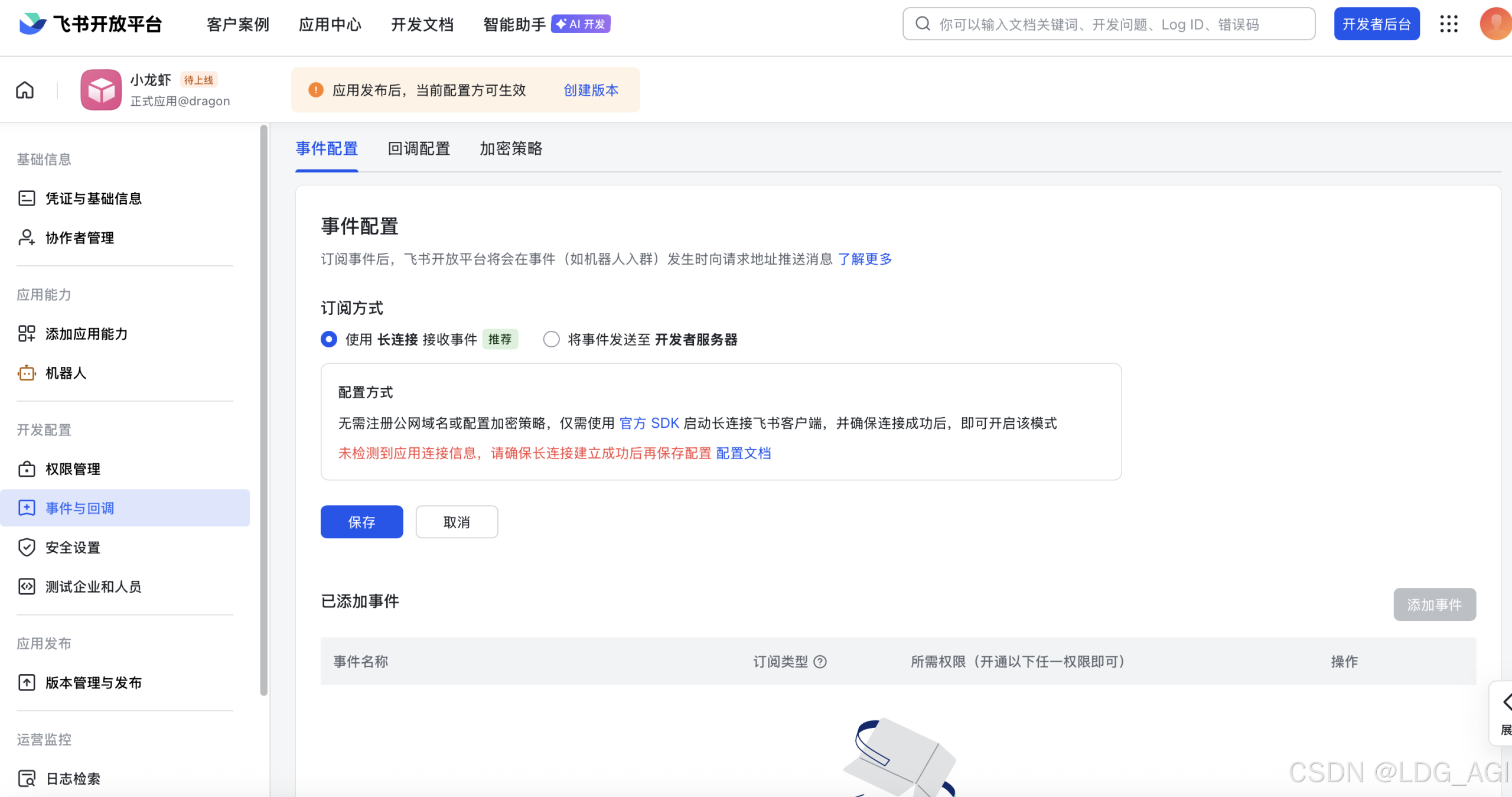
│  3) Get App ID and App Secret from Credentials page                               │
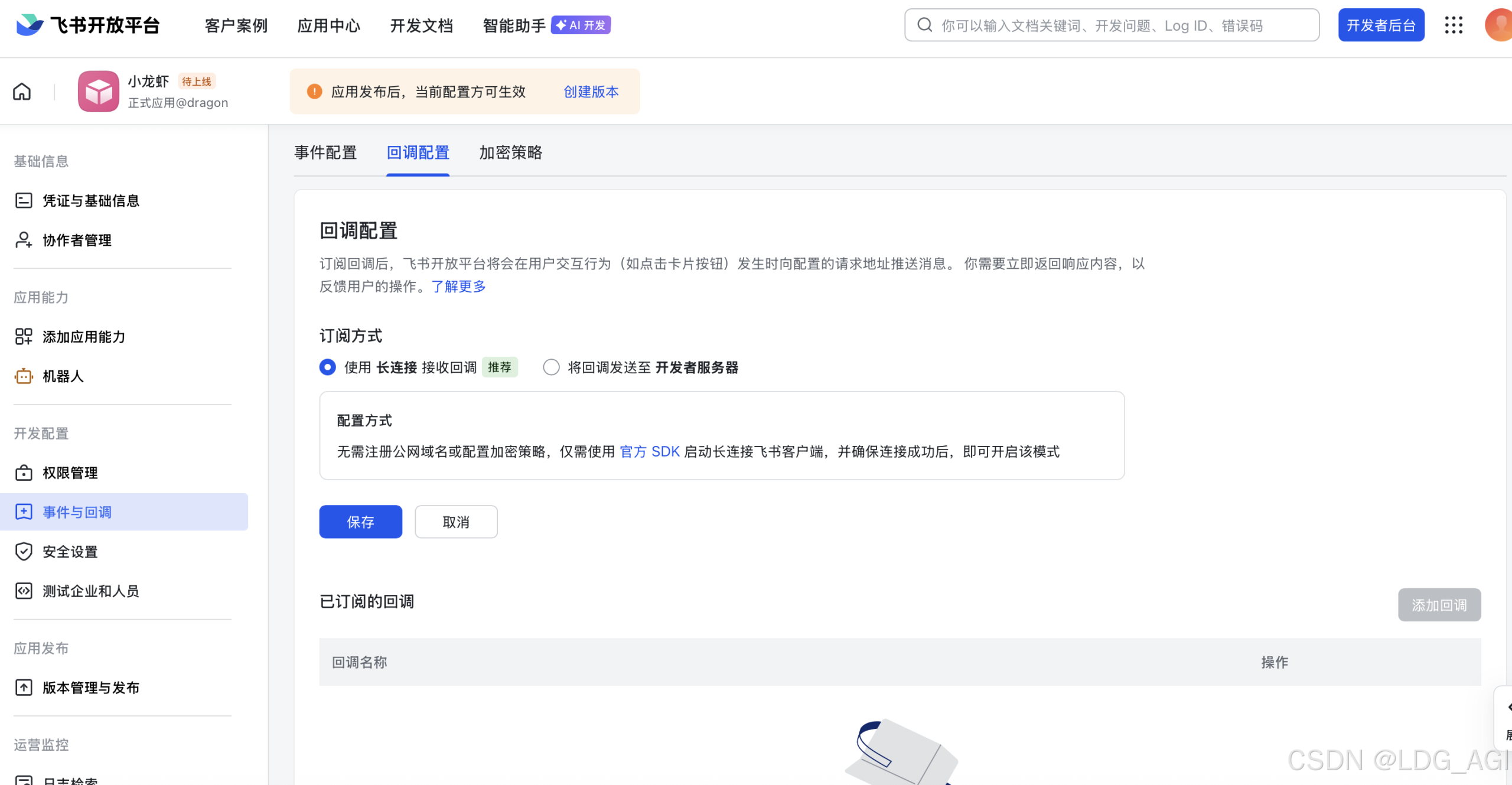
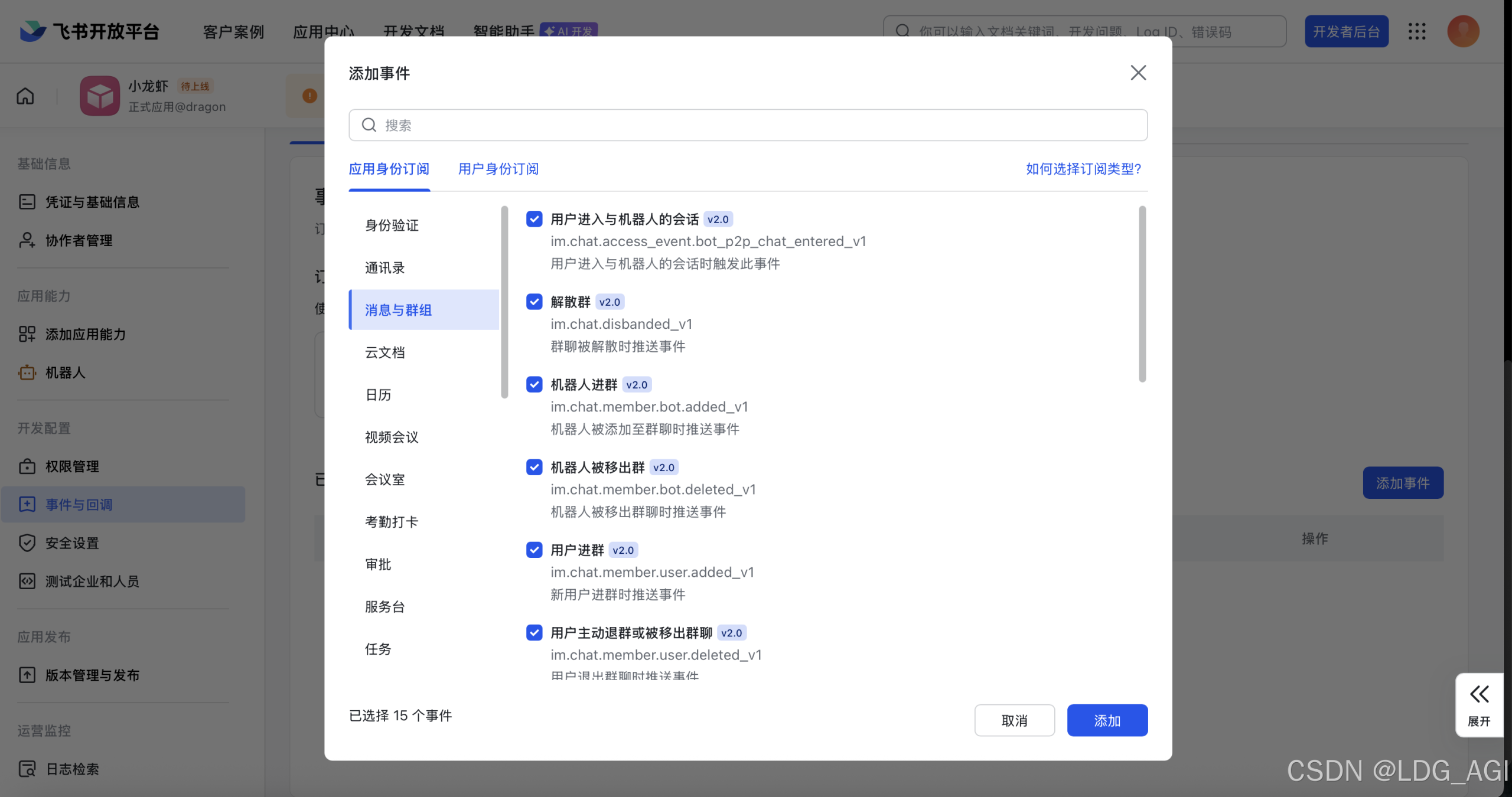
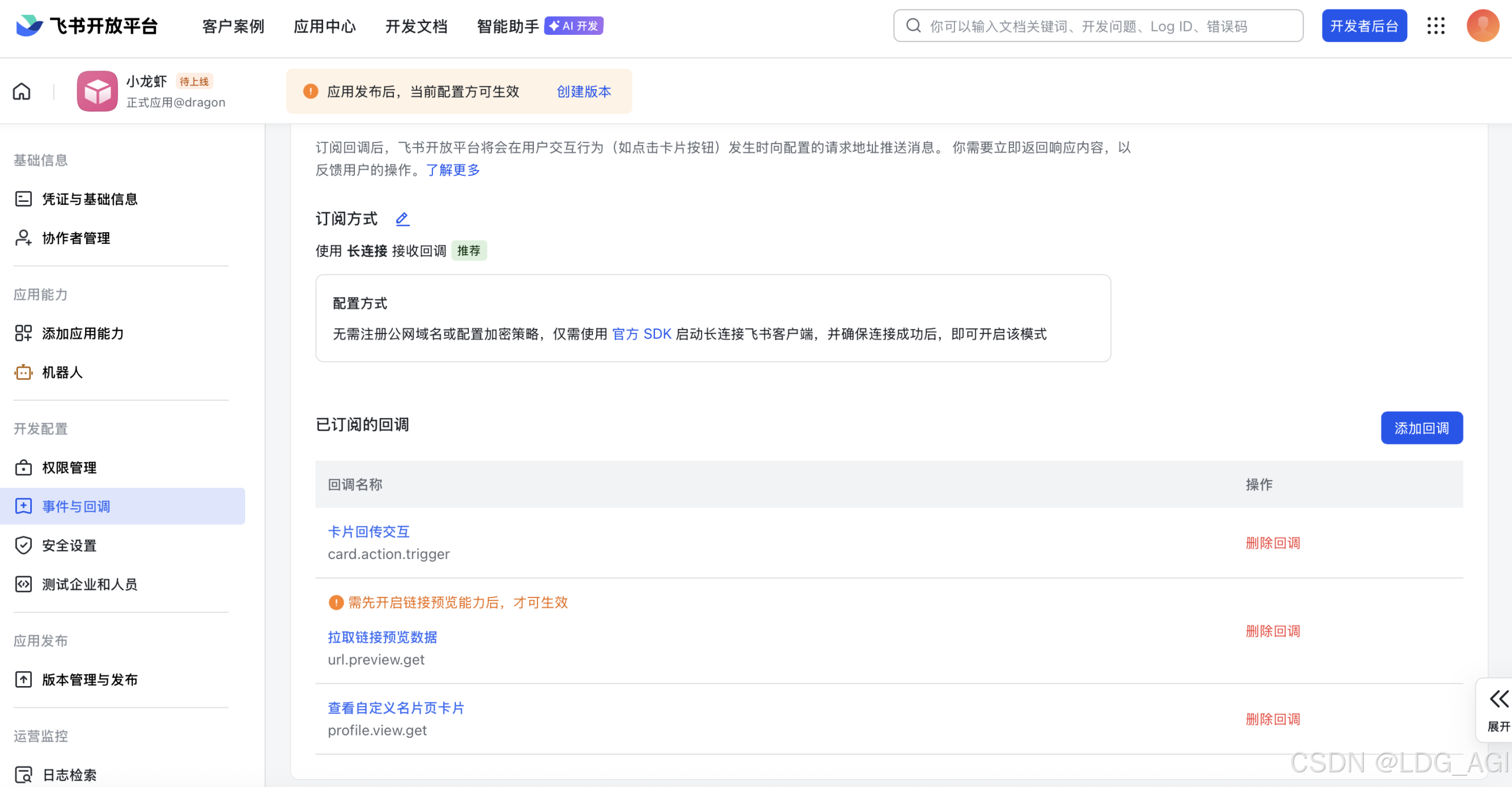
│  4) Enable required permissions: im:message, im:chat, contact:user.base:readonly  │
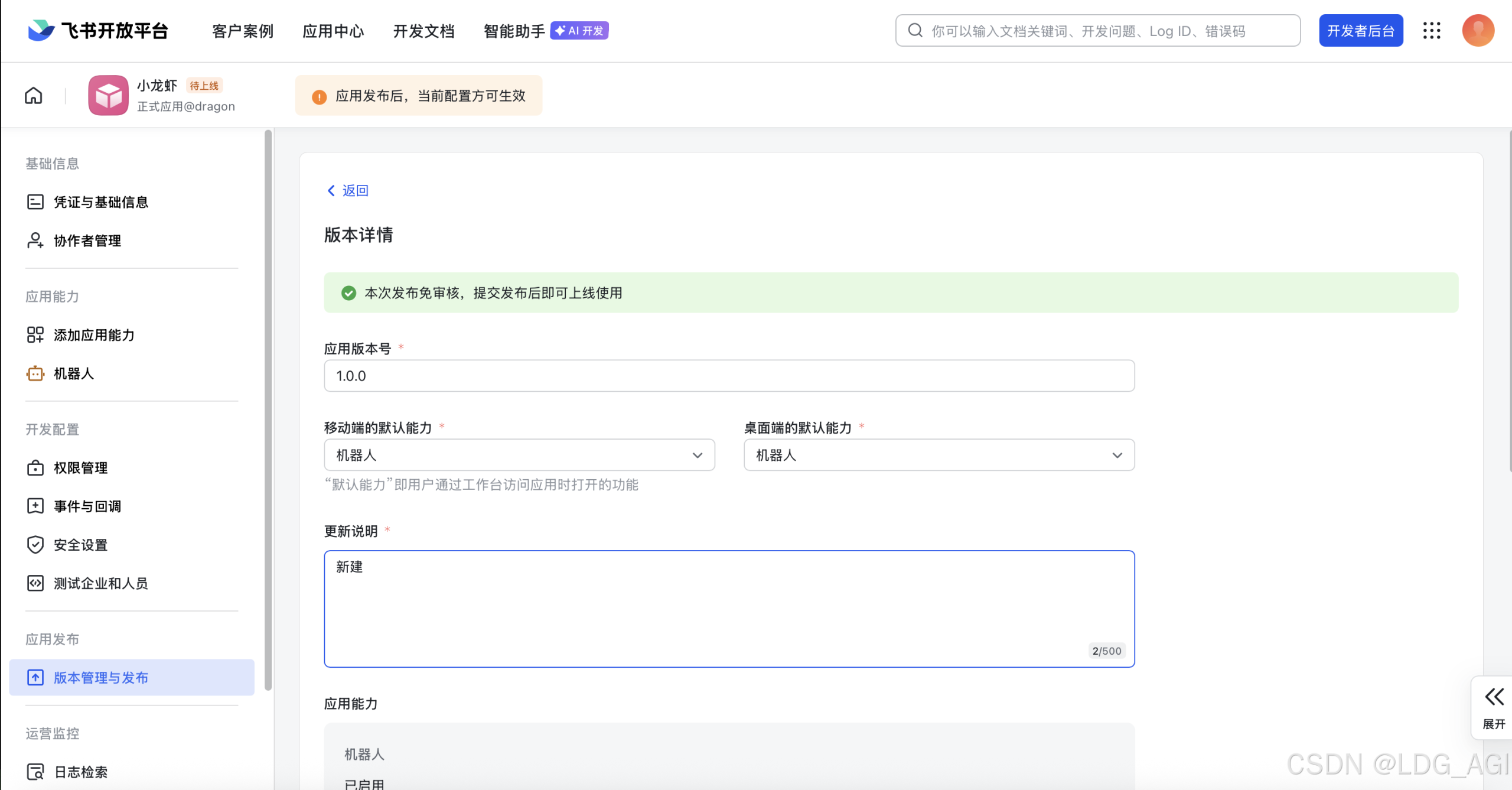
│  5) Publish the app or add it to a test group                                     │
│  Tip: you can also set FEISHU_APP_ID / FEISHU_APP_SECRET env vars.                │
│  Docs: feishu                 │
│                                                                                   │
├───────────────────────────────────────────────────────────────────────────────────╯
│
◇  How do you want to provide this App Secret?
│  Enter App Secret
│
◇  Enter Feishu App Secret
│  XXXXXXXXXXXXXXXXXXXX
│
◇  Enter Feishu App ID
│  XXXXXXXXXXXXXXXX
[info]: [ 'client ready' ]
│
◇  Feishu connection test ───────────────────────────╮
│                                                    │
│  Connected as ou_XXXXXXXXXXX  │
│                                                    │
├────────────────────────────────────────────────────╯
│
◇  Feishu connection mode
│  WebSocket (default)
│
◇  Which Feishu domain?
│  Feishu (feishu.cn) - China
│
◇  Group chat policy
│  Open - respond in all groups (requires mention)
│
◇  Selected channels ──────────────────────────────────────────╮
│                                                              │
│  Feishu — 飞书/Lark enterprise messaging. Docs:              │
│  feishu  │
│                                                              │
├──────────────────────────────────────────────────────────────╯
Config warnings:
- plugins.entries.feishu: plugin feishu: duplicate plugin id detected; later plugin may be overridden (/root/.openclaw/extensions/feishu/index.ts)
Updated ~/.openclaw/openclaw.json
Workspace OK: ~/.openclaw/workspace
Sessions OK: ~/.openclaw/agents/main/sessions
2.6 Skills及其他配置
默认先选“no”或“skip”
◇  Skills status ─────────────╮
│                             │
│  Eligible: 7                │
│  Missing requirements: 41   │
│  Unsupported on this OS: 7  │
│  Blocked by allowlist: 0    │
│                             │
├─────────────────────────────╯
│
◇  Configure skills now? (recommended)
│  No
│
◇  Hooks ──────────────────────────────────────────────────────────────────╮
│                                                                          │
│  Hooks let you automate actions when agent commands are issued.          │
│  Example: Save session context to memory when you issue /new or /reset.  │
│                                                                          │
│  Learn more: https://docs.openclaw.ai/automation/hooks                   │
│                                                                          │
├──────────────────────────────────────────────────────────────────────────╯
│
◇  Enable hooks?
│  Skip for now
Config warnings:
- plugins.entries.feishu: plugin feishu: duplicate plugin id detected; later plugin may be overridden (/root/.openclaw/extensions/feishu/index.ts)
Config overwrite: /root/.openclaw/openclaw.json (sha256 39b96fed22c10c899a69792e607481ecf7d50b58f30be76a2451fd34630ab5a7 -> 21a9d0e63b76cf77d1b268e539c9a5eeba5e3f47e8981a9ba65f5295d91e11da, backup=/root/.openclaw/openclaw.json.bak)
│
◇  Systemd ───────────────────────────────────────────────────────────────────────────────╮
│                                                                                         │
│  Systemd user services are unavailable. Skipping lingering checks and service install.  │
│                                                                                         │
├─────────────────────────────────────────────────────────────────────────────────────────╯
│
◇  Gateway service ─────────────────────────────────────────────────────────────────────╮
│                                                                                       │
│  Systemd user services are unavailable; skipping service install. Use your container  │
│  supervisor or `docker compose up -d`.                                                │
│                                                                                       │
├───────────────────────────────────────────────────────────────────────────────────────╯
Config warnings:n- plugins.entries.feishu: plugin feishu: duplicate plugin id detected; later plugin may be overridden (/root/.openclaw/extensions/feishu/index.ts)
Config warnings:n- plugins.entries.feishu: plugin feishu: duplicate plugin id detected; later plugin may be overridden (/root/.openclaw/extensions/feishu/index.ts)
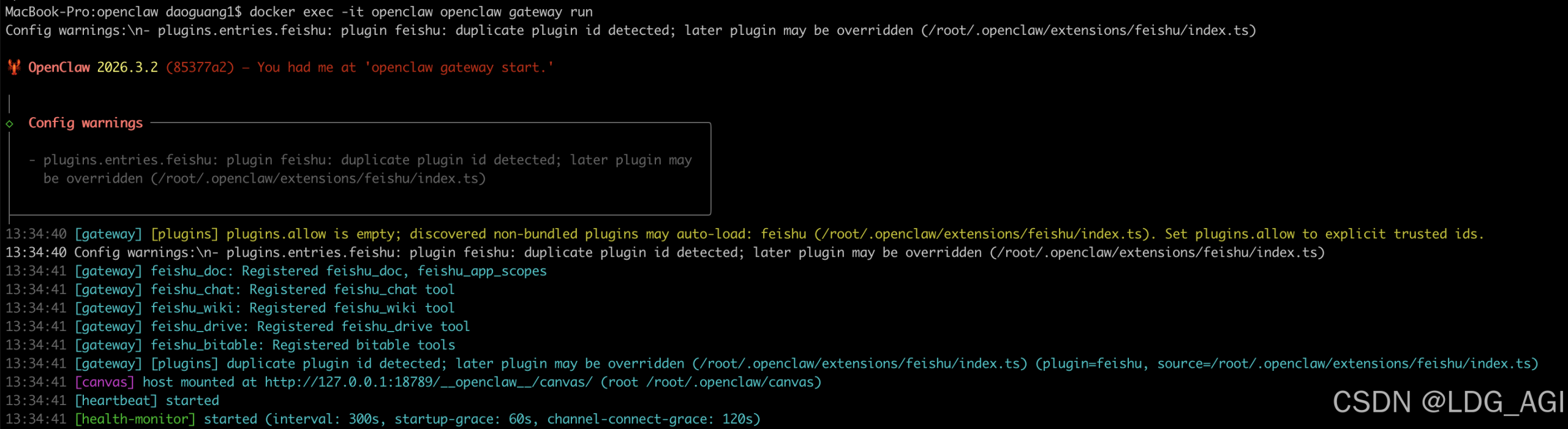
Health check failed: gateway closed (1006 abnormal closure (no close frame)): no close reason
  Gateway target: ws://127.0.0.1:18789
  Source: local loopback
  Config: /root/.openclaw/openclaw.json
  Bind: loopback
│
◇  Health check help ────────────────────────────────╮
│                                                    │
│  Docs:                                             │
│  https://docs.openclaw.ai/gateway/health           │
│  https://docs.openclaw.ai/gateway/troubleshooting  │
│                                                    │
├────────────────────────────────────────────────────╯
│
◇  Optional apps ────────────────────────╮
│                                        │
│  Add nodes for extra features:         │
│  - macOS app (system + notifications)  │
│  - iOS app (camera/canvas)             │
│  - Android app (camera/canvas)         │
│                                        │
├────────────────────────────────────────╯
│
◇  Control UI ───────────────────────────────────────────────────────────────────────────────╮
│                                                                                            │
│  Web UI: http://127.0.0.1:18789/                                                           │
│  Web UI (with token):                                                                      │
│  http://127.0.0.1:18789/#token=xxxxxxxx            │
│  Gateway WS: ws://127.0.0.1:18789                                                          │
│  Gateway: not detected (gateway closed (1006 abnormal closure (no close frame)): no close  │
│  reason)                                                                                   │
│  Docs: https://docs.openclaw.ai/web/control-ui                                             │
│                                                                                            │
├────────────────────────────────────────────────────────────────────────────────────────────╯
│
◇  Workspace backup ────────────────────────────────────────╮
│                                                           │
│  Back up your agent workspace.                            │
│  Docs: https://docs.openclaw.ai/concepts/agent-workspace  │
│                                                           │
├───────────────────────────────────────────────────────────╯
│
◇  Security ──────────────────────────────────────────────────────╮
│                                                                 │
│  Running agents on your computer is risky — harden your setup:  │
│  https://docs.openclaw.ai/security                              │
│                                                                 │
├─────────────────────────────────────────────────────────────────╯
│
◇  Shell completion ───────────────────────────────────────────────────────╮
│                                                                          │
│  Shell completion installed. Restart your shell or run: source ~/.zshrc  │
│                                                                          │
├──────────────────────────────────────────────────────────────────────────╯
│
◇  Dashboard ready ────────────────────────────────────────────────────────────────╮
│                                                                                  │
│  Dashboard link (with token):                                                    │
│  http://127.0.0.1:18789/#token=xxxxxxx  │
│  Copy/paste this URL in a browser on this machine to control OpenClaw.           │
│  No GUI detected. Open from your computer:                                       │
│  ssh -N -L 18789:127.0.0.1:18789 user@<host>                                     │
│  Then open:                                                                      │
│  http://localhost:18789/                                                         │
│  http://localhost:18789/#token=xxxxxxx  │
│  Docs:                                                                           │
│  https://docs.openclaw.ai/gateway/remote                                         │
│  https://docs.openclaw.ai/web/control-ui                                         │
│                                                                                  │
├──────────────────────────────────────────────────────────────────────────────────╯
│
◇  Web search (optional) ─────────────────────────────────────────────────────────────────╮
│                                                                                         │
│  If you want your agent to be able to search the web, you’ll need an API key.           │
│                                                                                         │
│  OpenClaw uses Brave Search for the `web_search` tool. Without a Brave Search API key,  │
│  web search won’t work.                                                                 │
│                                                                                         │
│  Set it up interactively:                                                               │
│  - Run: openclaw configure --section web                                                │
│  - Enable web_search and paste your Brave Search API key                                │
│                                                                                         │
│  Alternative: set BRAVE_API_KEY in the Gateway environment (no config changes).         │
│  Docs: https://docs.openclaw.ai/tools/web                                               │
│                                                                                         │
├─────────────────────────────────────────────────────────────────────────────────────────╯
│
◇  What now ─────────────────────────────────────────────────────────────╮
│                                                                        │
│  What now: https://openclaw.ai/showcase ("What People Are Building").  │
│                                                                        │
├────────────────────────────────────────────────────────────────────────╯
│
└  Onboarding complete. Use the dashboard link above to control OpenClaw.