文件操作总结
什么是文件
磁盘上的文件即我们讨论的文件。文件就像一个“容器”,把相关的数据组织在一起,方便用户存储、管理和使用信息,我们可以对文件进行复制、移动、删除、重命名等操作。在程序设计来看,文件按功能主要分为程序文件和数据文件。
程序文件
包括源程序文件(后缀为.c),目标文件(windows环境后缀为.obj),可执行程序(windows环境后缀为.exe)。
数据文件
文件的内容不一定是程序,而是程序运行时读写的数据,比如程序运行时需要从中读取数据的文件,或者输出内容的文件。
而如何唯一确定一个文件呢?文件名是文件唯一的标识,其包括三部分:文件名路径+文件主名干+文件后缀,例如D:Wisetest.txt。以下我们主要讨论数据文件。
二进制文件和和文本文件
数据文件按照其数据的组织形式分为文本文件或二进制文件。
数据在内存中以二进制形式存储,不加以转换的输出到外存的文件即为二进制文件。而由于字符型数据一律以ASCII码的形式存储,需要在存储前转换以ASCII字符形式存储的文件即为文本文件。数值型数据既可以用ASCII字符的形式存储,又可以用二进制形式存储。
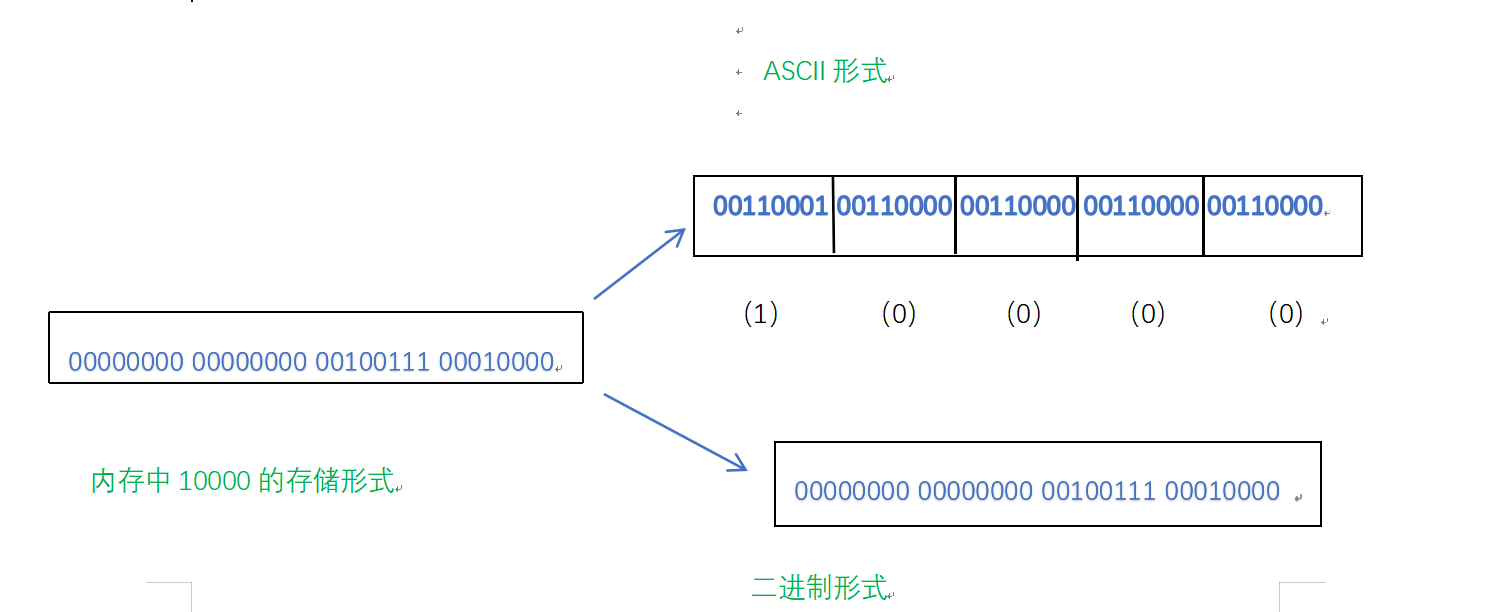
数值型数据的存储大小以ASCII字符形式和二进制形式存储方式所占内存不同,但具体那种情况更省空间要视情况而论。
在VS上打开二进制文件
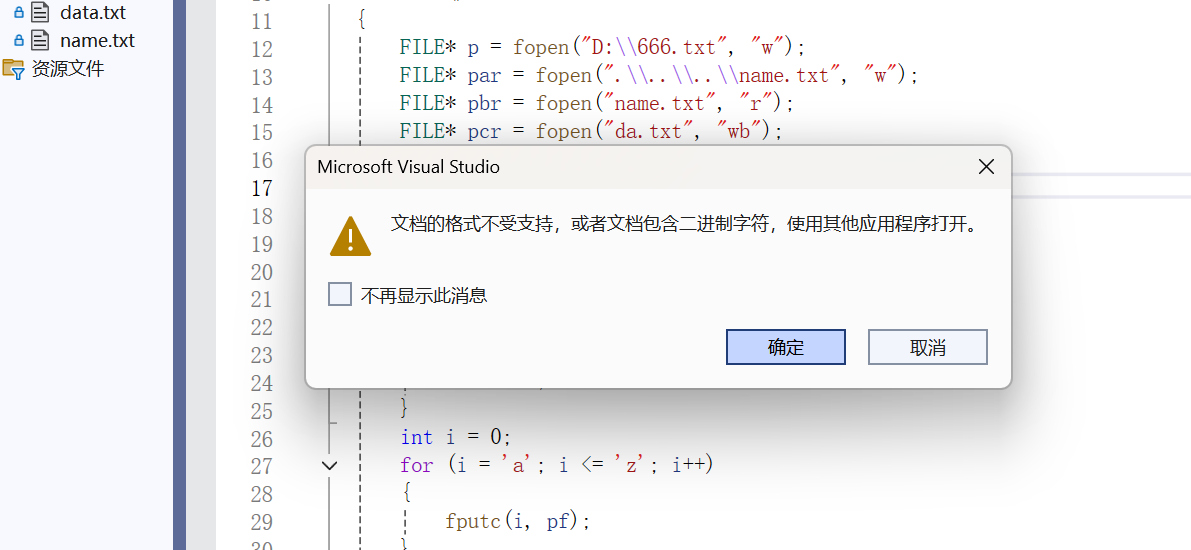
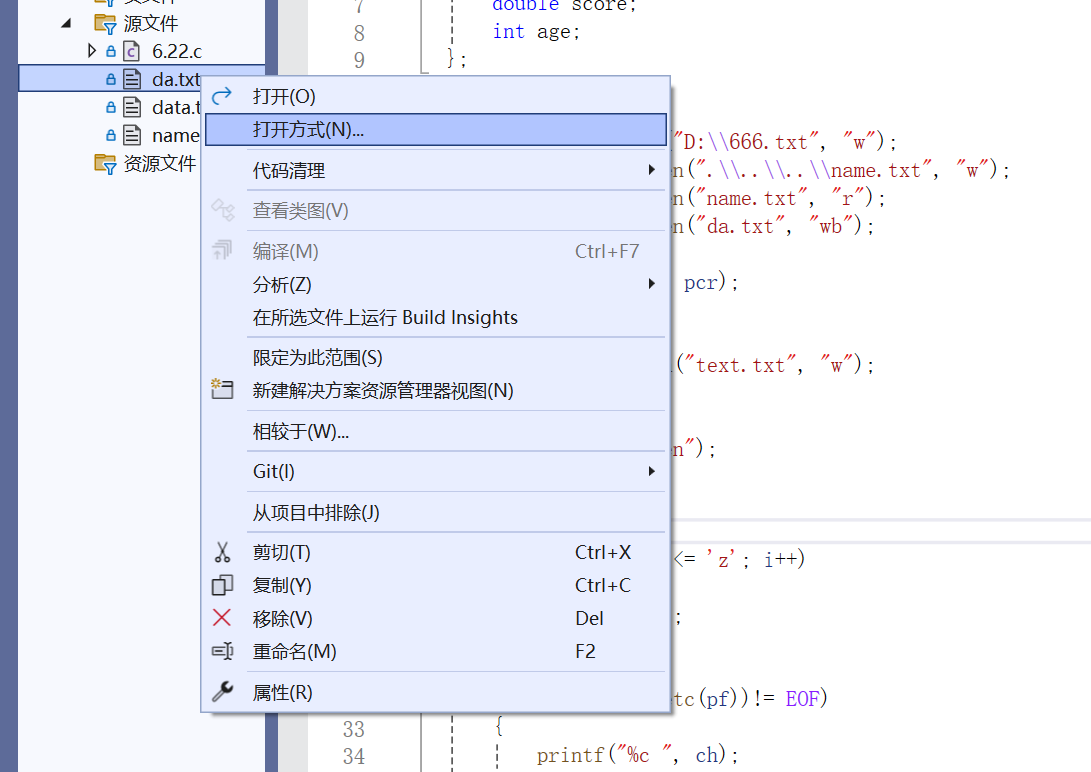
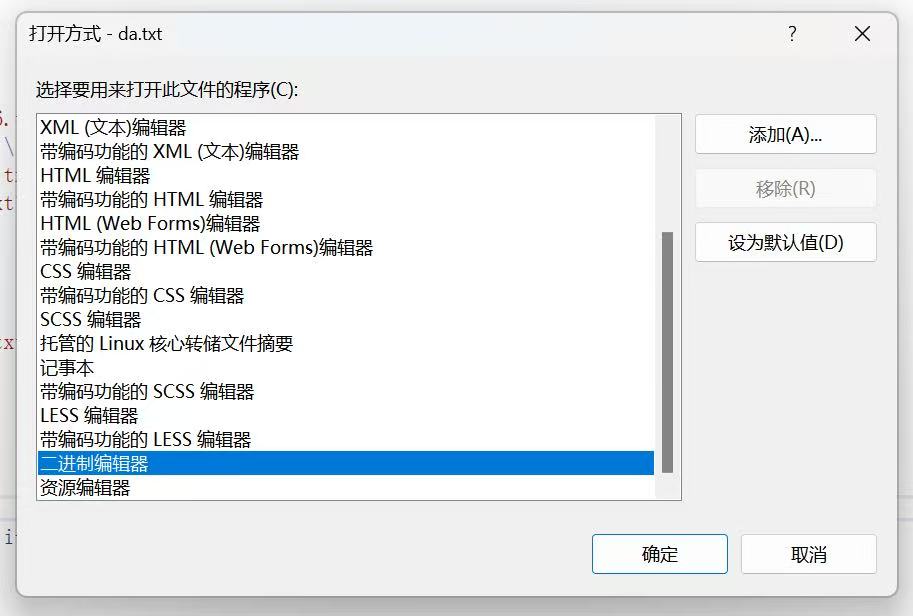
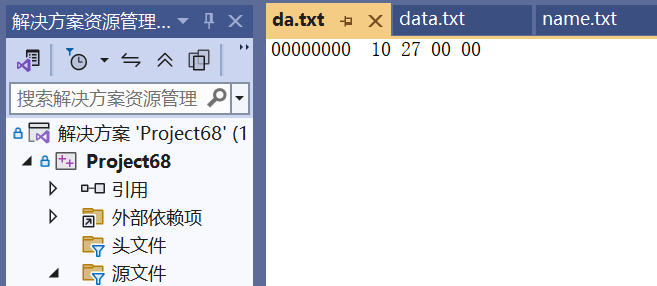
txt文本文件无法识别二进制,我们在VS上打开可以选择打开方式更换为二进制编辑器重新打开,可以在txt中看到二进制形式存储的数据10000。
流和标准流
缓冲系统中关键的概念是“文件类型指针”,简称“文件指针”。
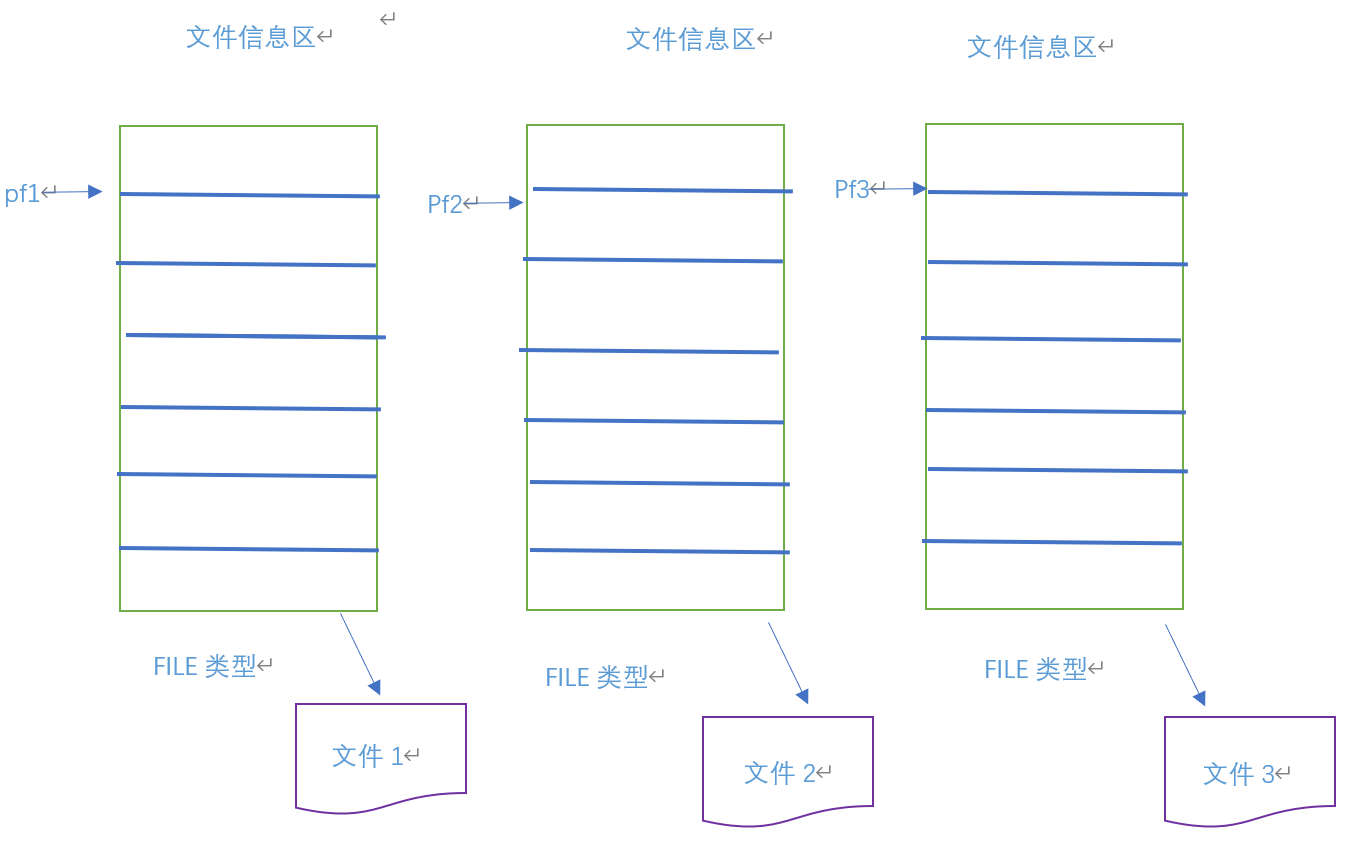
每个被使用的文件都在内存中开辟了一个相应的文件信息区,用来存放文件的相关信息(如文件的名字,文件状态及文件当前的位置等)。这些信息保存在一个由系统命名的结构体变量中,取名为FILE。不同的C编译器的FILE类型包括的内容不完全相同,但大同小异,每当打开一个文件的时候,系统会根据文件的情况自动创建一个FILE结构的变量,并填充其中的信息,一般都是通过一个FILE的指针来维护这个FILE结构的变量,这样使用起来更加方便。
我们可以创建一个FILE*的文件指针变量:
FILE*p;
定义p是一个指向FILE类型数据的指针变量。可以使p指向某个文件的文件信息区(是一个结构体变量)。通过该文件信息区中的信息就能够访问该文件。也就是说,通过文件指针变量能够找到与它关联的文件。
比如:
文件的基本操作
文件的打开和关闭
文件在读写之前应该先打开文件,在使用结束之后应该关闭文件。
在编写程序的时候,在打开文件的同时,都是返回一个FILE*的指针变量指向该文件,也相当于建立了指针和文件的关系。
ANSI C规定使用fopen函数来打开文件,fclose来关闭文件。
//打开文件
FILE*fopen(const char*filename,const char*mode);//关闭文件
int fclose(FILE*stream);
mode表示文件的打开模式,下面都是文件的打开模式:
| 文件使用方式 | 含义 | 如果指定文件不存在 |
|---|---|---|
| “r”(只读) | 为了输入数据,打开一个已经存在的文本文件 | 出错 |
| “w”(只写) | 为了输出数据,打开一个文本文件 | 建立一个新的文件 |
| “a”(追加) | 向文本文件尾添加数据 | 建立一个新的文件 |
| “rb”(只读) | 为了输入数据,打开一个二进制文件 | 出错 |
| “wb”(只写) | 为了输出数据,打开一个二进制文件 | 建立一个新的文件 |
| “ab”(追加) | 向一个二进制文件尾添加数据 | 出错 |
| “r+”(读写) | 为了读和写,打开一个文本文件 | 出错 |
| “w+”(读写) | 为了读和写,建议一个新的文件 | 建立一个新的文件 |
| “a+”(读写) | 打开一个文件,在文件尾进行读写 | 建立一个新的文件 |
| “rb+”(读写) | 为了读和写打开一个二进制文件 | 出错 |
| “wb+”(读写) | 为了读和写,新建一个新的二进制文件 | 建立一个新的文件 |
| “ab+”(读写) | 打开一个二进制文件,在文件尾进行读和写 | 建立一个新的文件 |
对应fopen和fclose的使用:
fopen以读的形式打开就只能读,以写的形式打开就只能写。用fclose关闭文件后要把文件指针置空,以免其成为野指针。
- #include<stdio.h>
- #include<errno.h>
- int main()
- {
- FILE* pbr = fopen("name.txt", "r");
- //读文件
- if(pbr==NULL)
- {
- perror("fopen");
- return 1;
- }
- //关闭文件
- fclose(pbr);
- pbr=NULL;
- return 0;
- }
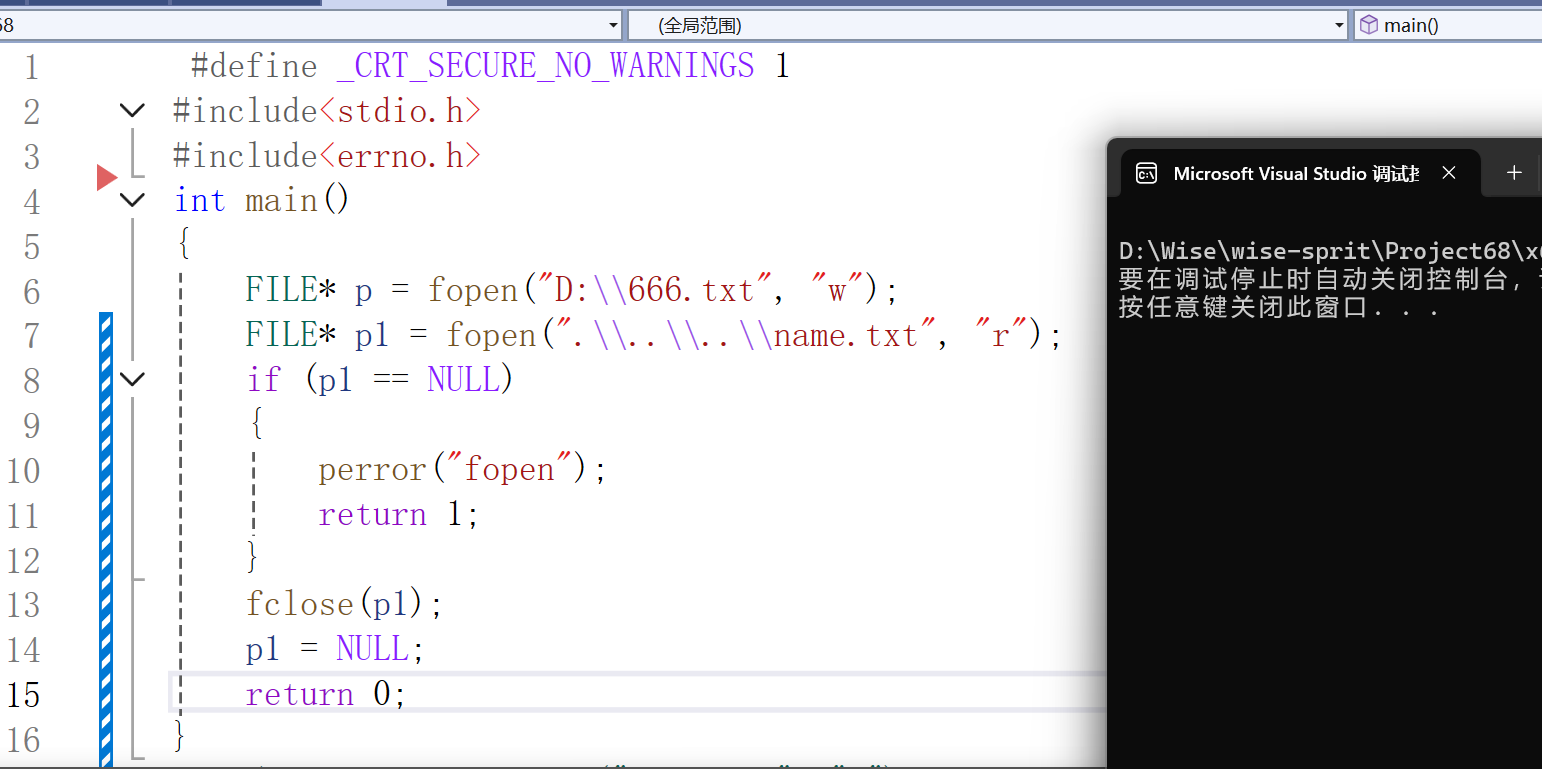
打开相对路径件的文件即存在当前工程的文件,.表示当前路径..表示上一级路径
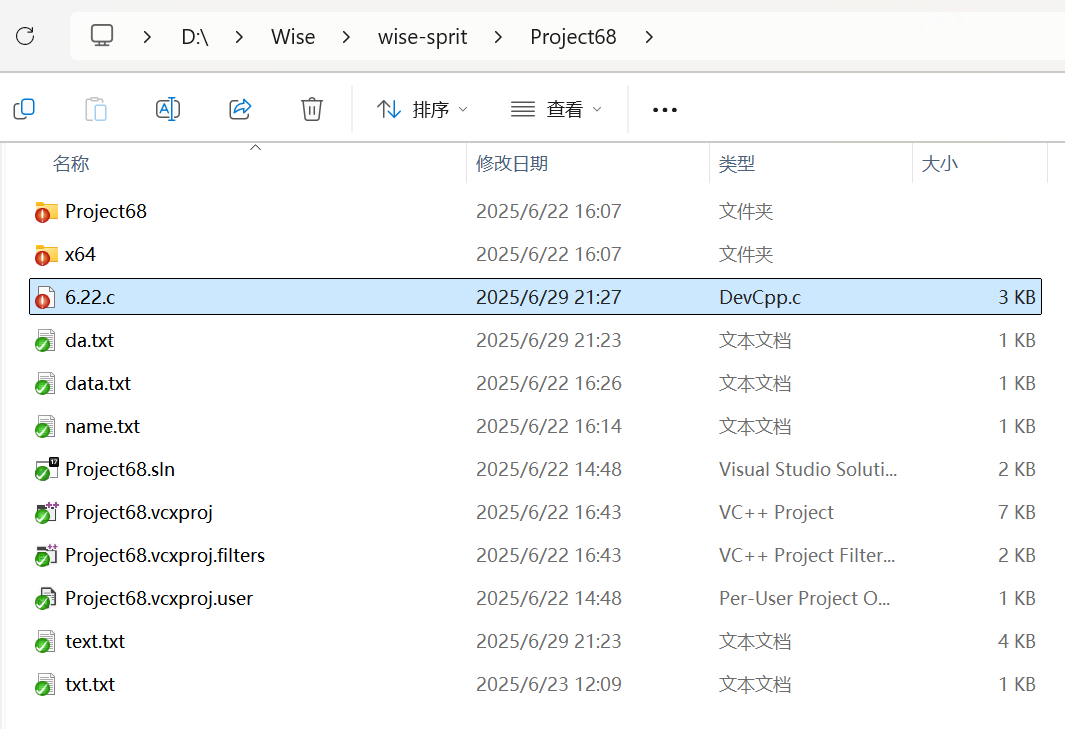
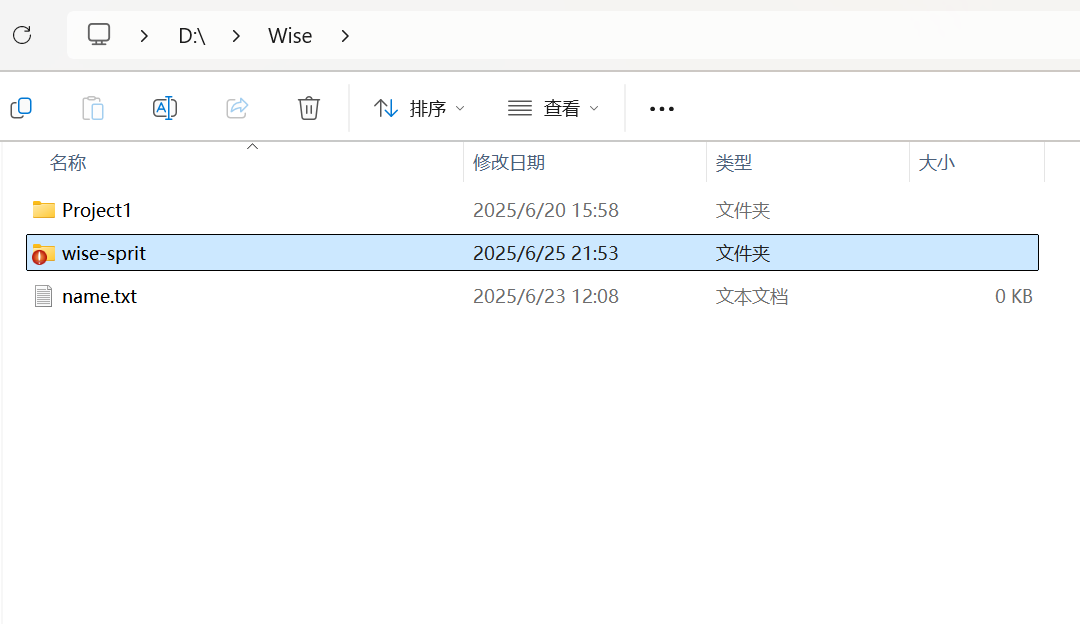
- #include<stdio.h>
- #include<errno.h>
- int main()
- {
- FILE* p = fopen("D:\666.txt", "r");
- //读文件
- if(p==NULL)
- {
- perror("fopen");
- return 1;
- }
- fclose(p);
- p=NULL;
- //关闭文件,将文件指针置为空
- return 0;
- }
文件的顺序读写
顺序读写函数介绍
| 功能 | 函数名 | 适用于 |
|---|---|---|
| 字符输入函数 | fgetc | 所有输入流 |
| 字符输出函数 | fputc | 所有输出流 |
| 文本行输入函数 | fgets | 所有输入流 |
| 文本行输出函数 | fputs | 所有输出流 |
| 格式化输入函数 | fscanf | 所有输入流 |
| 格式化输出函数 | fprintf | 所有输出流 |
| 二进制输入 | fread | 文件 |
| 二进制输出 | fwrite | 文件 |
接下来我们进行函数的使用
向文件中写字符,以写的形式打开文件
int fputc ( int character, FILE * stream );
读取文件中的字符,以读的形式打开文件
int fgetc(FILE* stream);
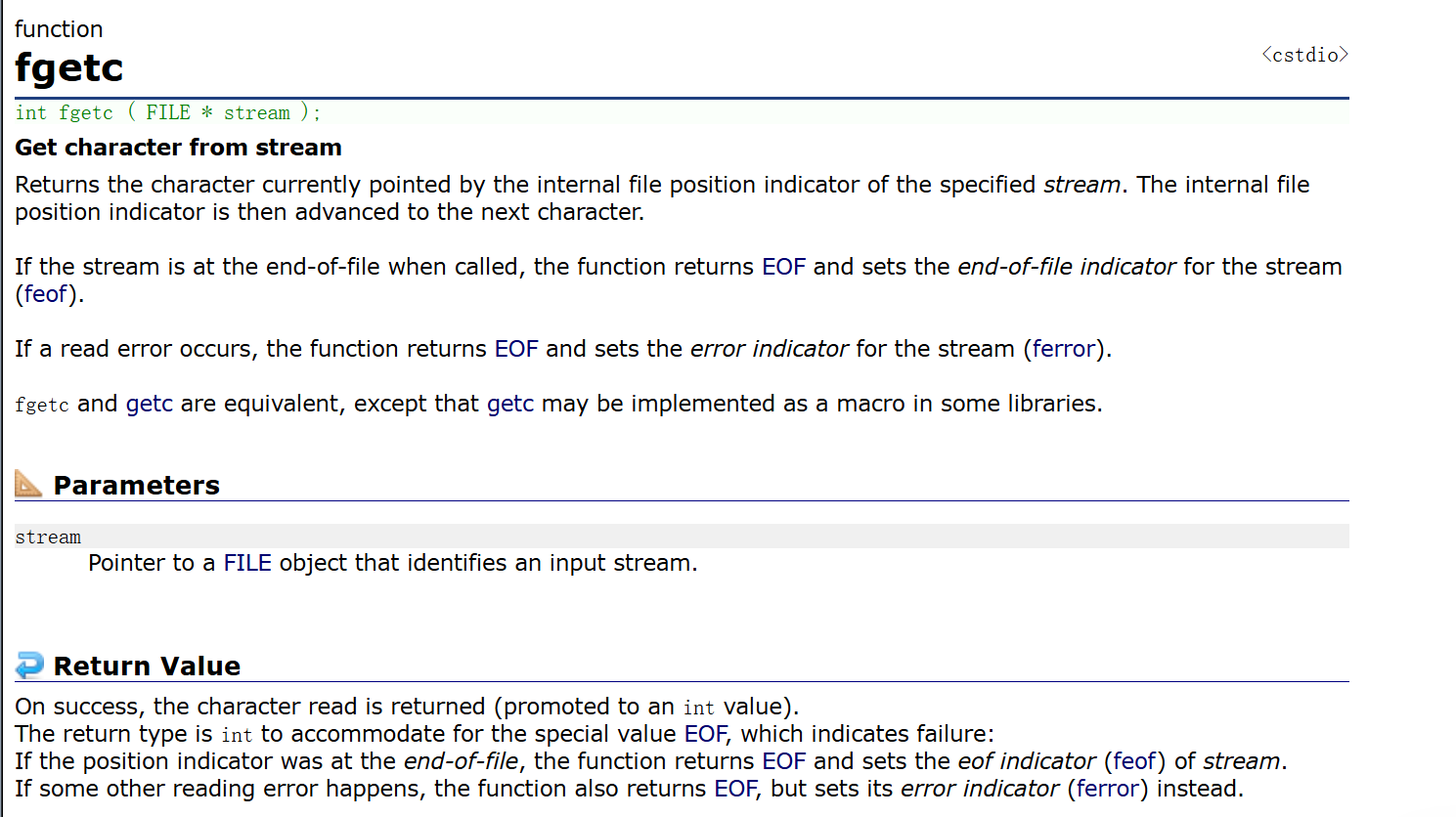
fgetc读取正常时返回读取的字符的ASCII码值,读取失败时返回EOF。
- #include<stdio.h>
- #include<errno.h>
- int main()
- {
- FILE* pf = fopen("text.txt", "w");
- if (pf == NULL)
- {
- perror("fopen");
- return 1;
- }
- int i = 0;
- for (i = 'a'; i <= 'z'; i++)
- {
- fputc(i, pf);
- }
- // 这里写已经完成了,我们可以关闭写文件方式
- fclose(pf);
- pf=NULL;
- // 重新按照以读方式打开
- FILE* rpf = fopen("text.txt", "r");
- int ch = 0;
- // 如果只是以写方式打开了文件,所以我们就不能对文件进行读取
- //我们可以重新按照读方式再打开一次文件
- while ((ch = fgetc(rpf)) != EOF)
- {
- printf("%c ", ch);
- }
- fclose(rpf);
- rpf = NULL;
- return 0;
- }
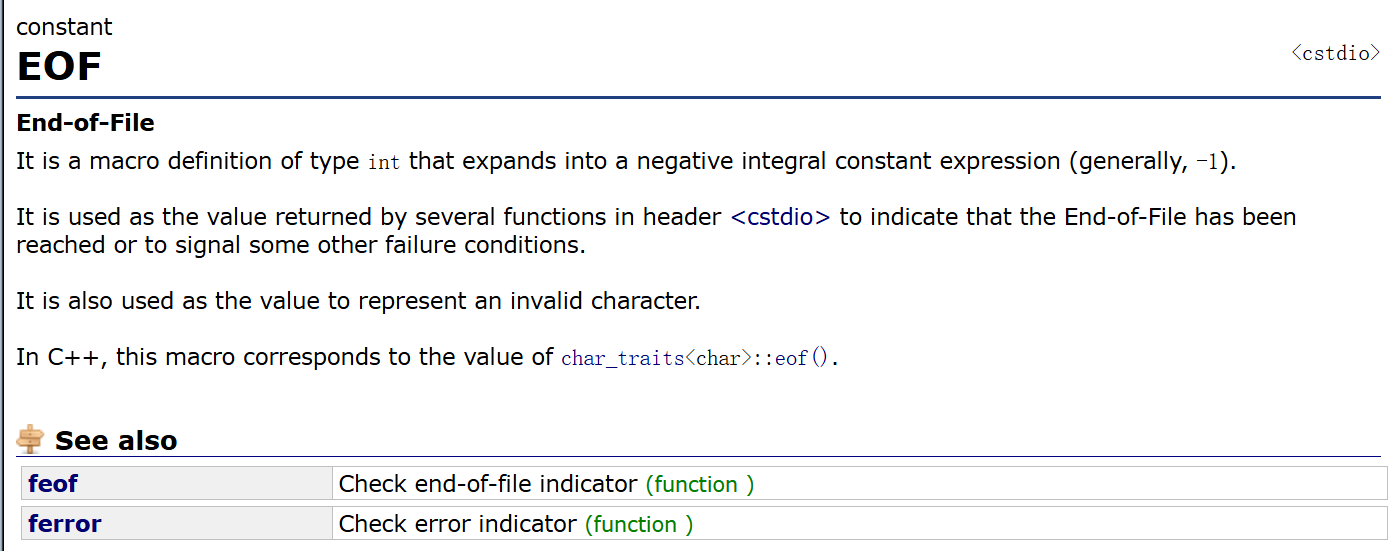
EOF文件结束的标志值为-1,所以此处用int类型接收fgetc读取的值。
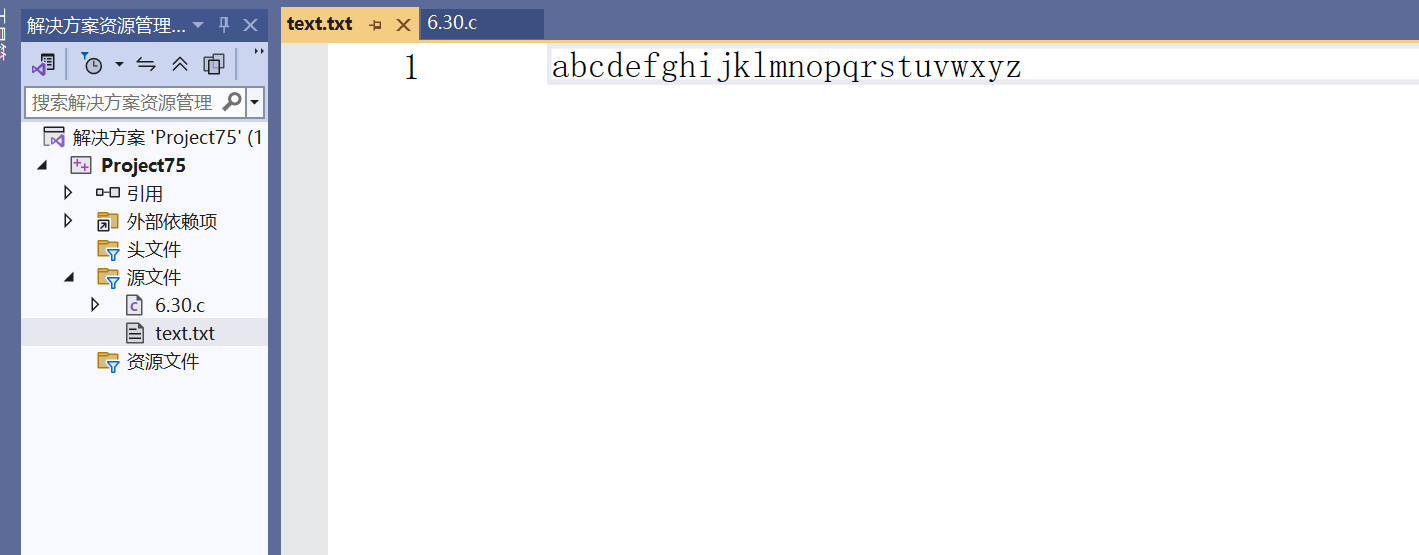
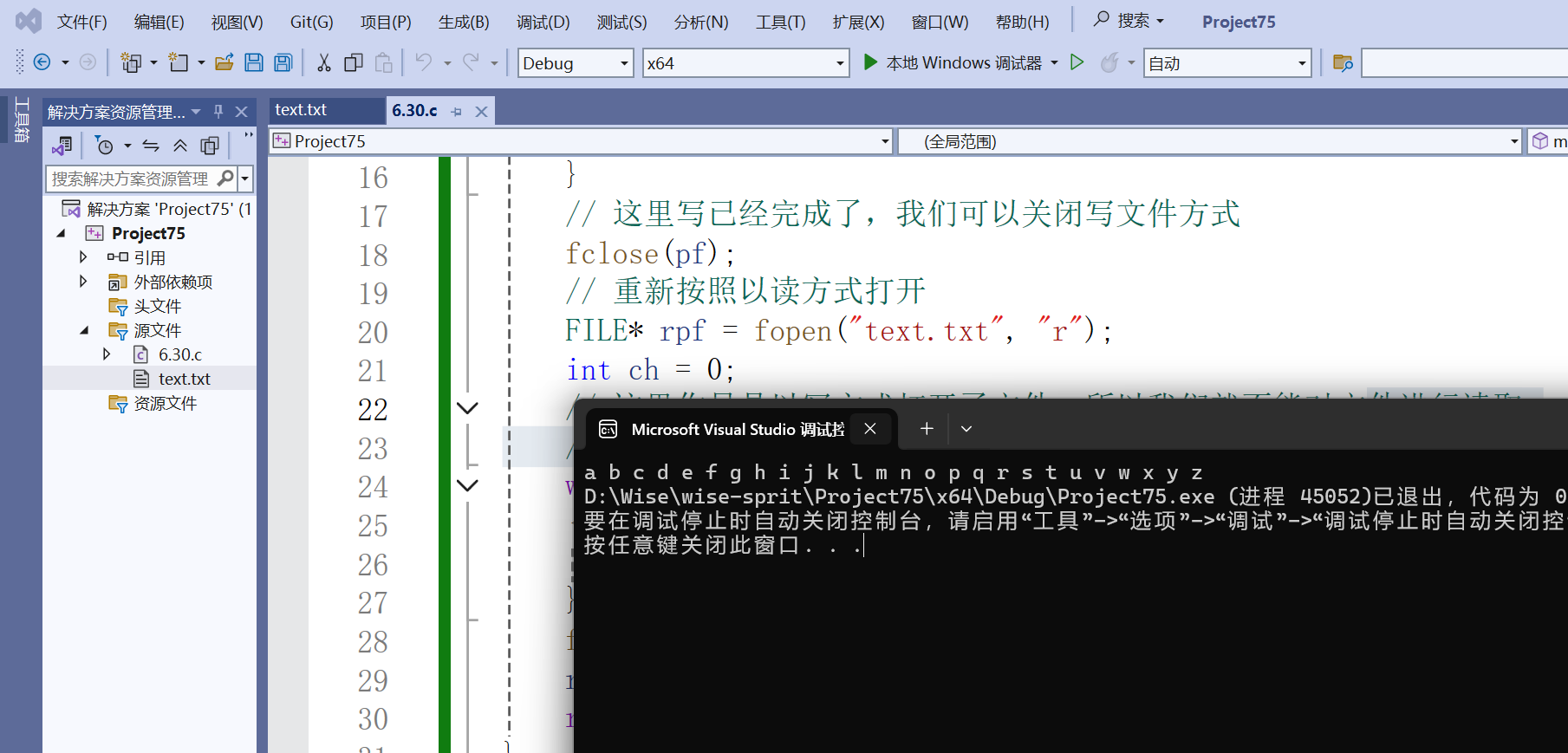
想把键盘或者文件的数据,读到你的程序里面,就是输入流,如果你想把程序里面的数据,输出到显示器或者文件中,就是输出流。
由于fgetc和fputc适用于所有输入流,所以我们可以用标志输入流和输出流来输入输出字符。
- #include<stdio.h>
- #include<errno.h>
- int main()
- {
- int ch= fgetc(stdin);
- fputc(ch,stdout);
- return 0;
- }
像文件中写入和读取字符串
int fputs(const char * str,FILE * stream);
#include<stdio.h>
#include<errno.h>
int main()
{
    FILE*p = fopen("abc.txt", "w");
     if (p == NULL)
     {
         perror("fopen");
         return 1;
     }
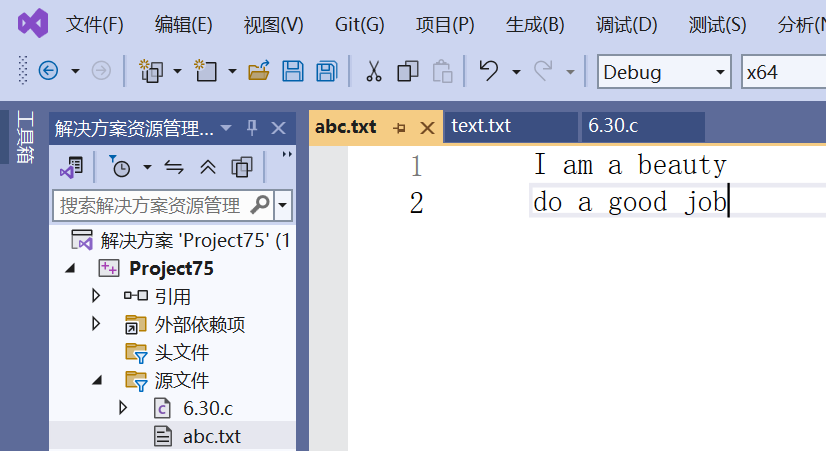
     fputs("I am a beauty", p);
     fputs("do a good job", p);
     fclose(p);
     p = NULL;
     return 0;
}
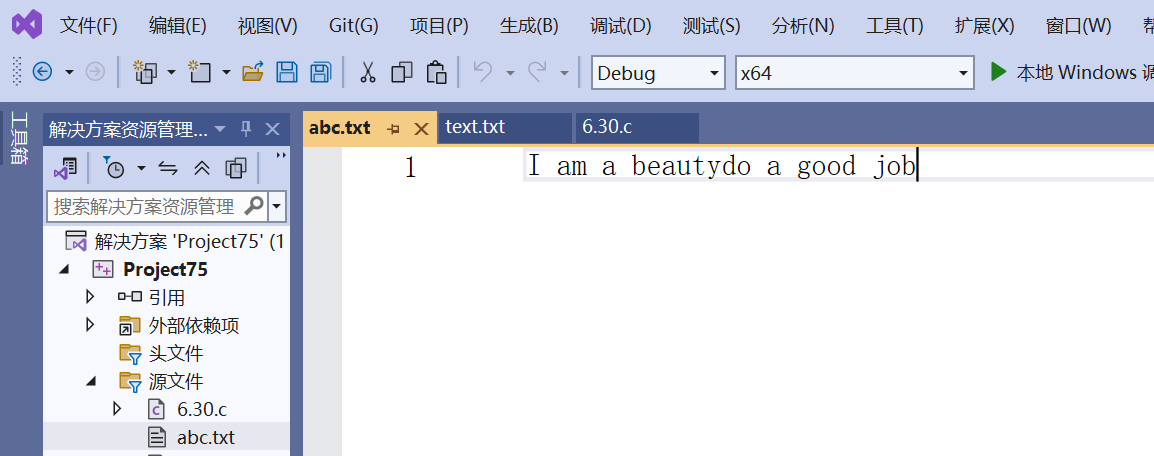
如果是很多字符串我们可以使用换行符‘n’改变光标的位置。
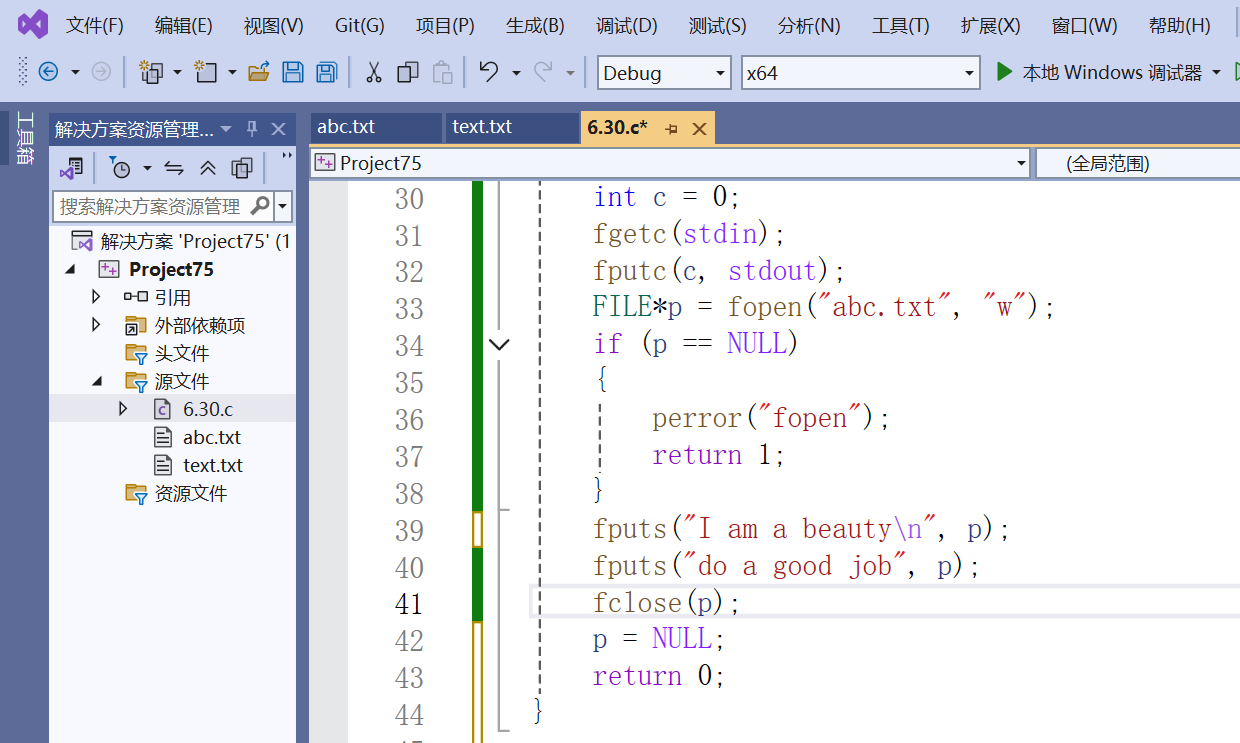
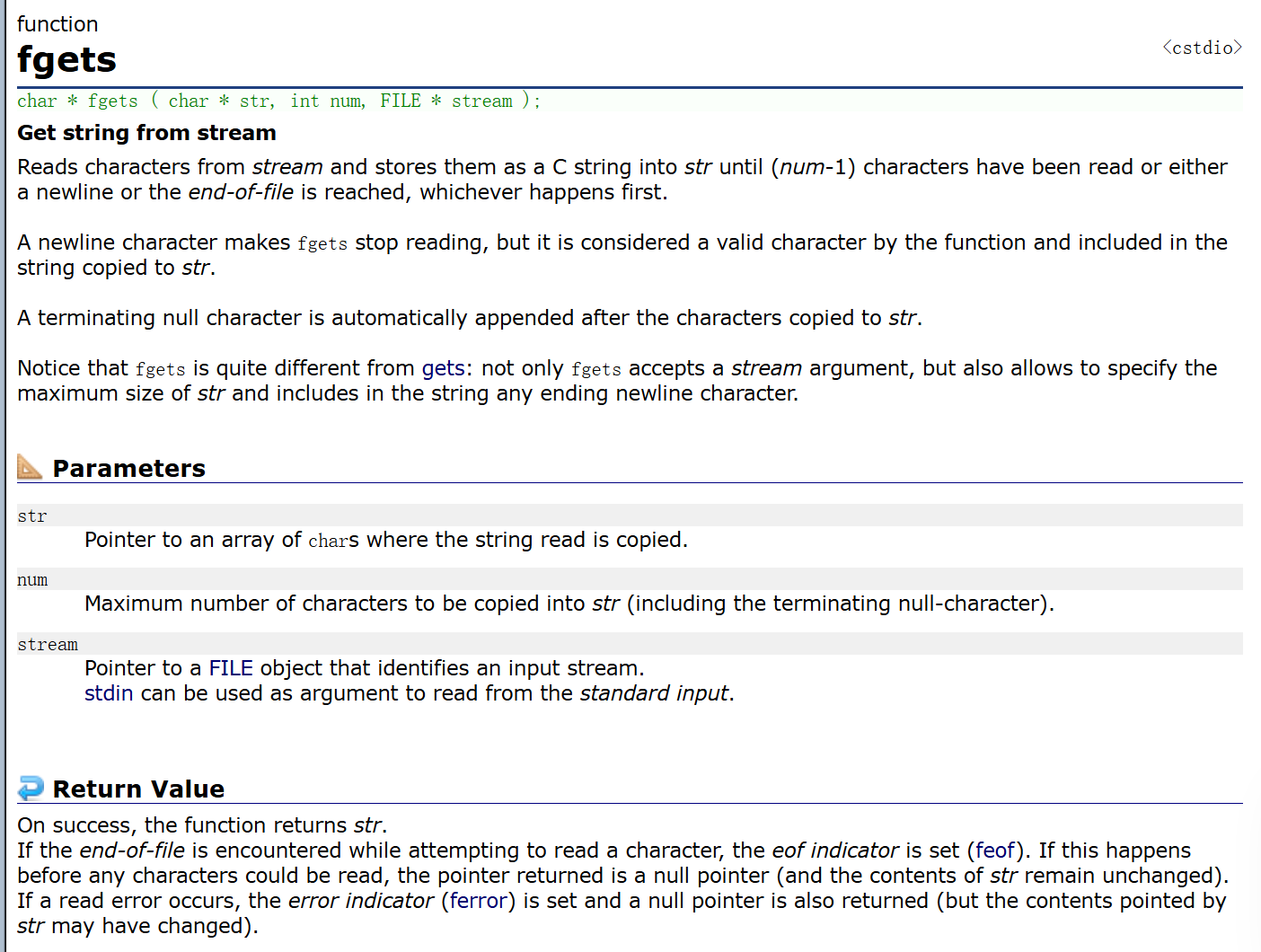
fgets函数的参数int num表示最多读取的字符个数,读到num-1就停止读取在末尾加一个‘’,空格正常读取,遇到‘n’和EOF就结束读取。
- #include<stdio.h>
- #include<errno.h>
- int main()
- {
- FILE*p = fopen("abc.txt", "w");
- if (p == NULL)
- {
- perror("fopen");
- return 1;
- }
- fputs("I am a beautyn", p);
- fputs("do a good job", p);
- // 这里一开始忘了关闭写fp了
- fclose(p);
- char ar[20] = "*******************"; // 这里多开辟一个空间存
- printf("%sn", ar);
- p = fopen("abc.txt", "r");
- fgets(ar, 10, p);
- int i = 0;
- for (i = 0; i < 20; i++)
- {
- printf("%c ", ar[i]);
- }
- printf("%sn", ar);
- fclose(p);
- p = NULL;
- return 0;
- }
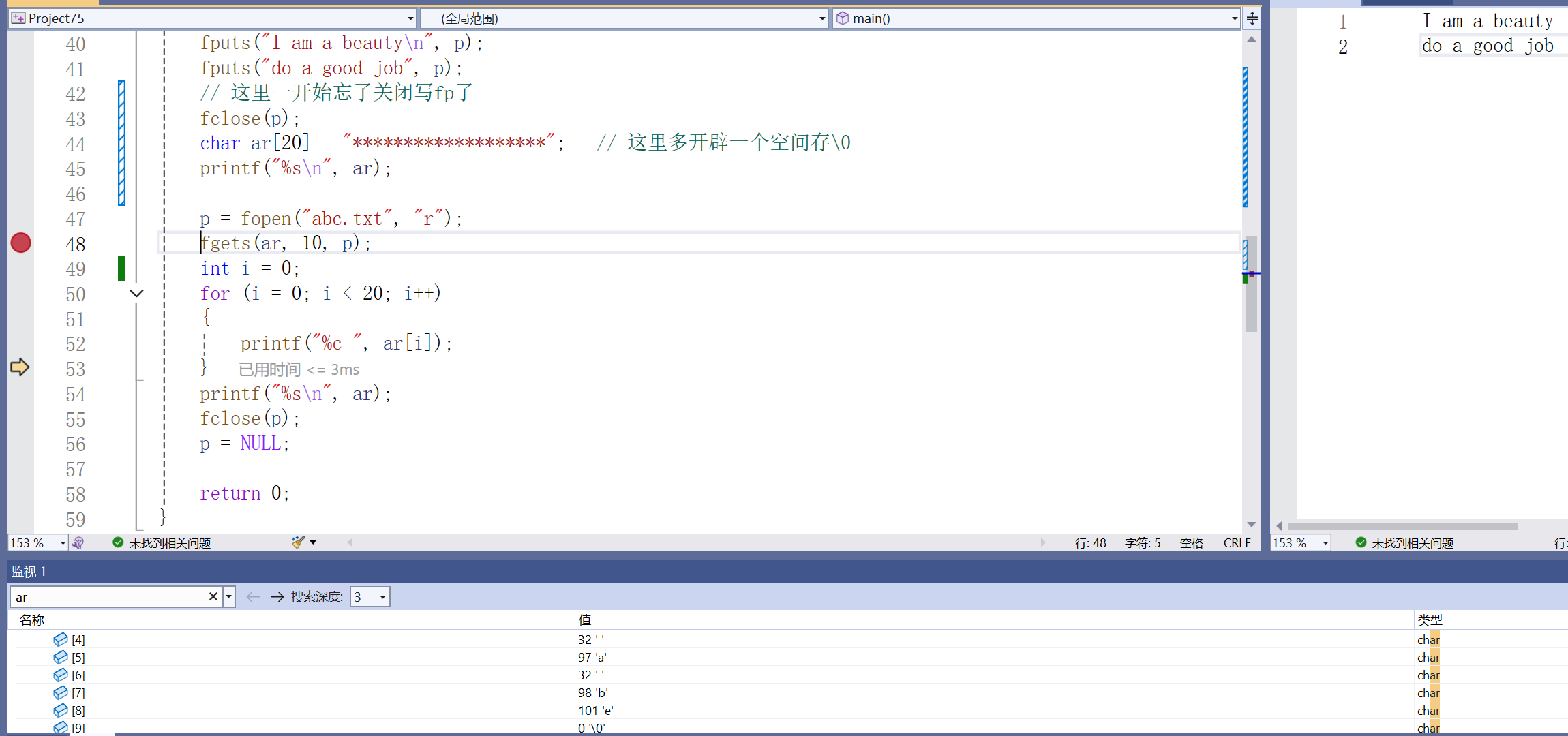
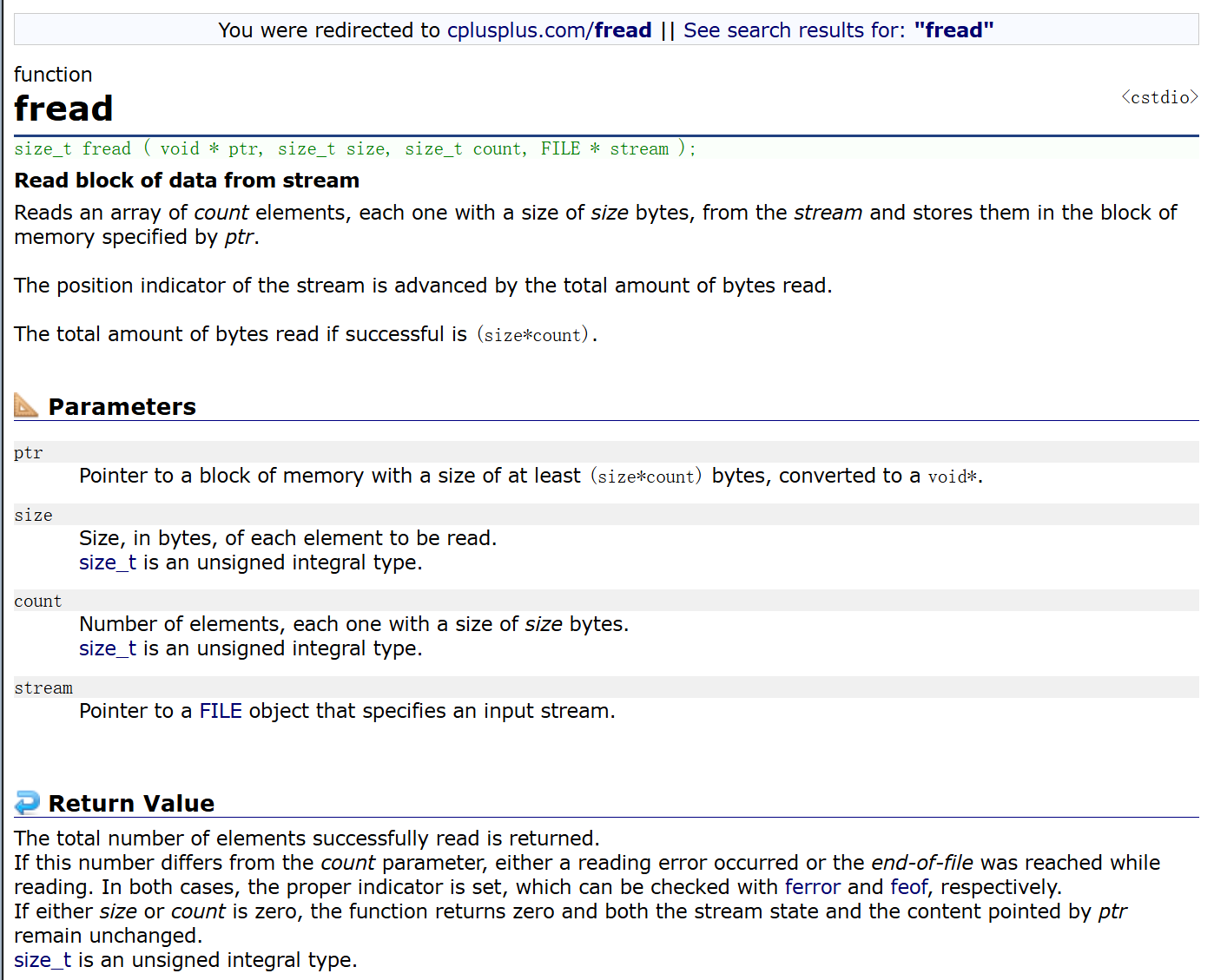
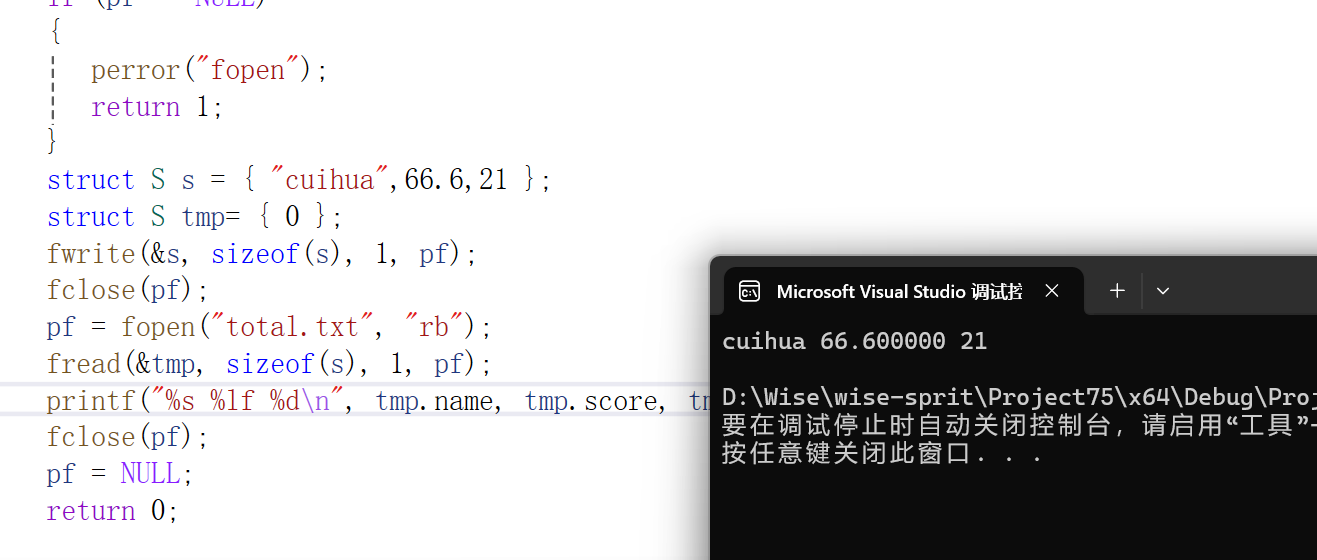
二进制的输入与输出函数fread和fwrite,分别以‘rb’和‘wb’的形式打开文件(b-binary 二进制)
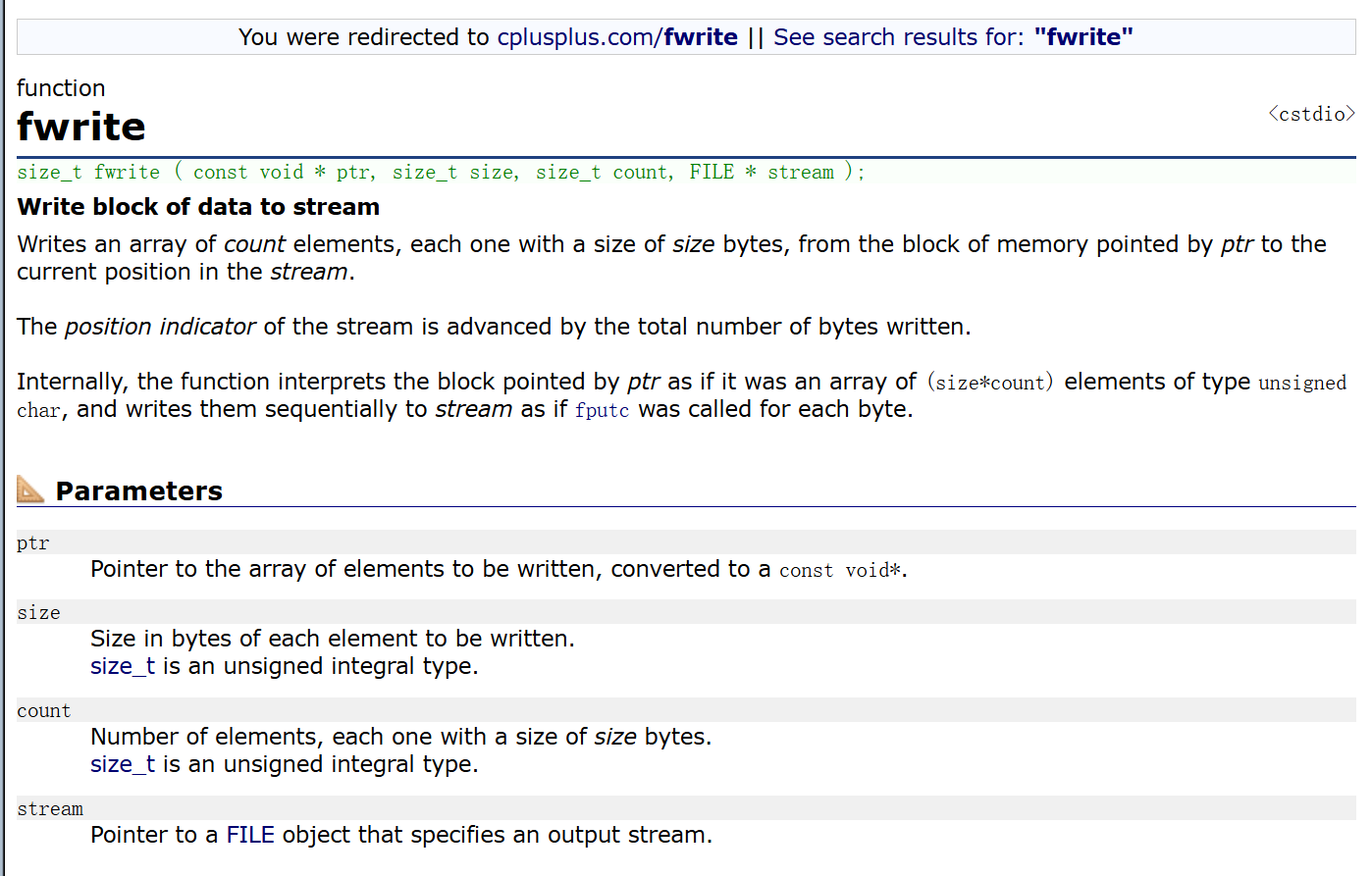
fread返回成功读取的数据的个数,可以用循环判断其返回值判断是否是最后一次读取。
- #include<stdio.h>
- #include<errno.h>
- struct S
- {
- char name[15];
- double score;
- int age;
- };
- int main()
- {
- FILE* pf = fopen("total.txt", "wb");
- if (pf == NULL)
- {
- perror("fopen");
- return 1;
- }
- struct S s = { "cuihua",66.6,21 };
- struct S tmp= { 0 };
- fwrite(&s, sizeof(s), 1, pf);
- fclose(pf);
- pf = fopen("total.txt", "rb");
- fread(&tmp, sizeof(s), 1, pf);
- printf("%s %lf %dn", tmp.name, tmp.score, tmp.age);
- fclose(pf);
- pf = NULL;
- return 0;
- }

以二进制形式写文档无法正确读取。
对比一组函数:scanf/fscanf/sscanf printf/fprintf/sprintf
scanf/printf 针对标准输入流/标准输出流的格式化输入/输出函数
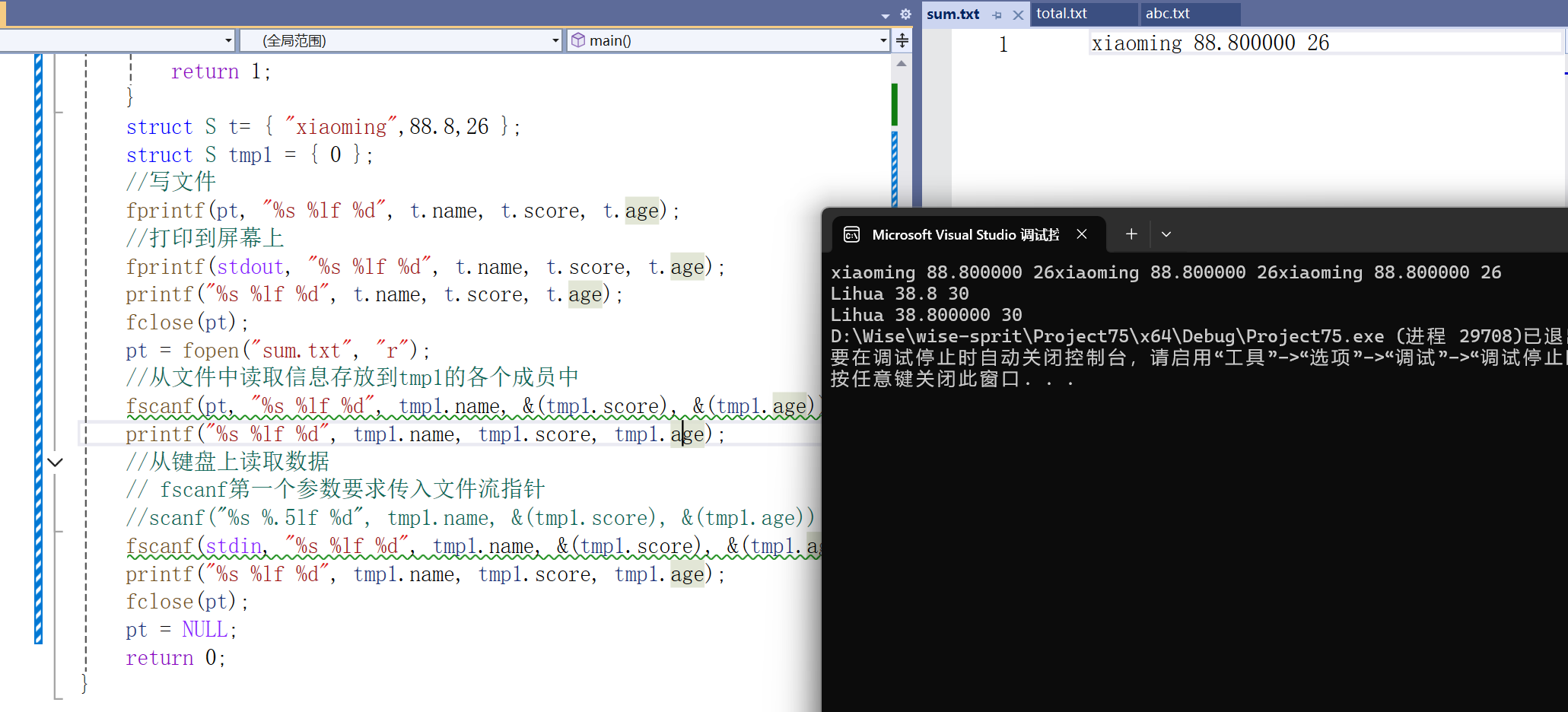
fscanf/fprintf 针对所以输入流/输出流的格式化输入/输出函数
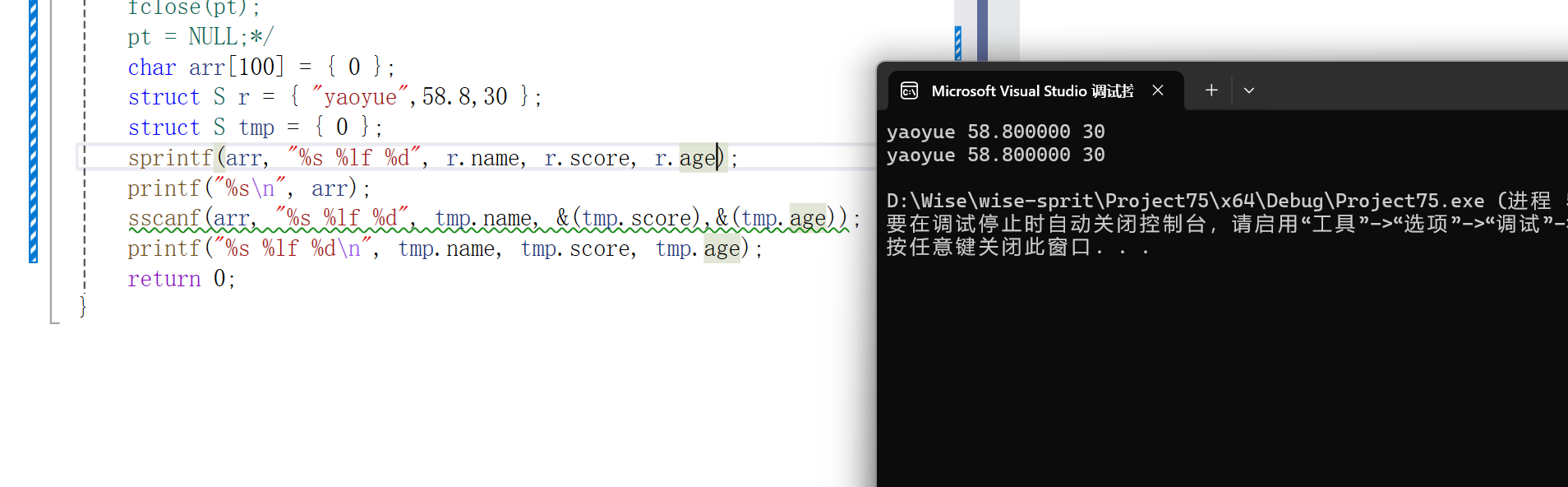
sscanf 从字符串中提取格式化的数据可理解为将字符串转成格式化的数据 sprintf其实是将格式化的数据写到字符串中可理解为将格式化的数据转换为字符串。
int printf(const char * format, . . .); …是可变参数列表
int fprinrf(FILE * stream,const char * format, . . .);
可以把信息按照指定格式写到文件里,即将格式化的数据写到文件中。
int scanf(const char * format, . . .);
int fscanf(FILE * stream,const char * format, . . .);
#include<stdio.h>
#include<errno.h>
struct S
{
char name[15];
double score;
int age;
};int main()
{
FILE* pt = fopen("sum.txt", "w");
if (pt == NULL)
{
perror("fopen");
return 1;
}
struct S t= { "xiaoming",88.8,26 };
struct S tmp1 = { 0 };
//写文件
fprintf(pt, "%s %lf %d", t.name, t.score, t.age);
//打印到屏幕上
fprintf(stdout, "%s %lf %d", t.name, t.score, t.age);
printf("%s %lf %d", t.name, t.score, t.age);
fclose(pt);
pt = fopen("sum.txt", "r");
//从文件中读取信息存放到tmp1的各个成员中
fscanf(pt, "%s %lf %d", tmp1.name, &(tmp1.score), &(tmp1.age));
printf("%s %lf %d", tmp1.name, tmp1.score, tmp1.age);
//从键盘上读取数据
// fscanf第一个参数要求传入文件流指针
//scanf("%s %.5lf %d", tmp1.name, &(tmp1.score), &(tmp1.age));
fscanf(stdin, "%s %lf %d", tmp1.name, &(tmp1.score), &(tmp1.age));
printf("%s %lf %d", tmp1.name, tmp1.score, tmp1.age);
fclose(pt);
pt = NULL;
return 0;
}
int sprintf(charstr,const charformat, . . .);
int sscanf(charstr,const char*format, . . .);
- #include<stdio.h>
- #include<errno.h>
- struct S
- {
- char name[15];
- double score;
- int age;
- };
- int main()
- {
- char arr[100] = { 0 };
- struct S r = { "yaoyue",58.8,30 };
- struct S tmp = { 0 };
- sprintf(arr, "%s %lf %d", r.name, r.score, r.age);
- printf("%sn", arr);
- sscanf(arr, "%s %lf %d", tmp.name, &(tmp.score),&(tmp.age));
- printf("%s %lf %dn", tmp.name, tmp.score, tmp.age);
- return 0;
- }
#include<stdio.h>
#include<errno.h>
struct S
{
    char name[15];
    double score;
    int age;
};
int main()
{
    char arr[100] = { 0 };
    struct S r = { "yaoyue",58.8,30 };
    struct S tmp = { 0 };
    sprintf(arr, "%s %lf %d", r.name, r.score, r.age);
    printf("%sn", arr);
    sscanf(arr, "%s %lf %d", tmp.name, &(tmp.score),&(tmp.age));
    printf("%s %lf %dn", tmp.name, tmp.score, tmp.age);
    return 0;
}
文件的随机读取
fseek
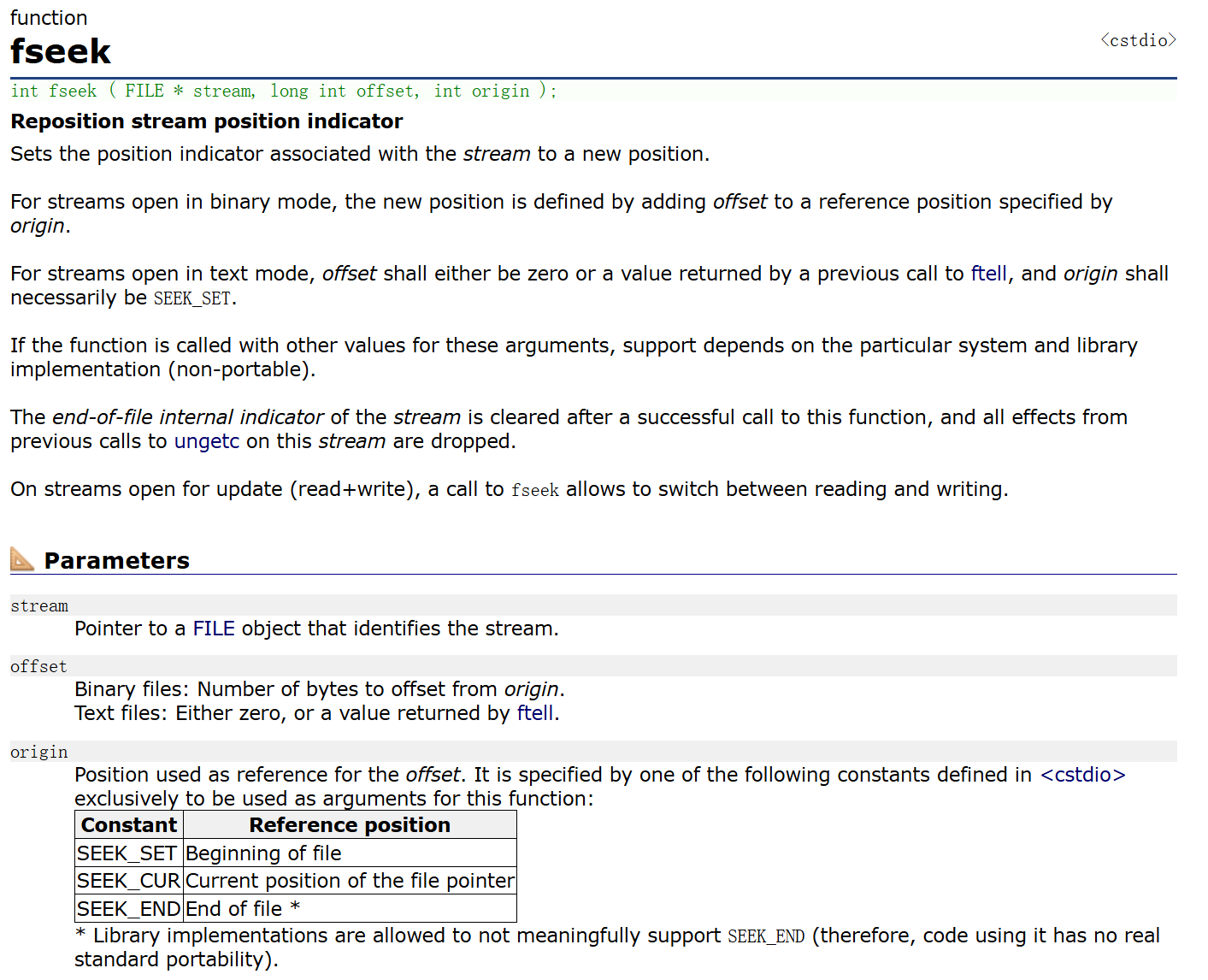
根据文件指针的位置和偏移量来定位文件指针(文件内容的光标)。
int fseek ( FILE * stream, long int offset, int origin );
offset-偏移量,offsetof- 计算结构体成员相较于起始位置的偏移量
ftell
返回文件指针相对于起始位置的偏移量
rewind
让文件指针的位置回到文件的起始位置
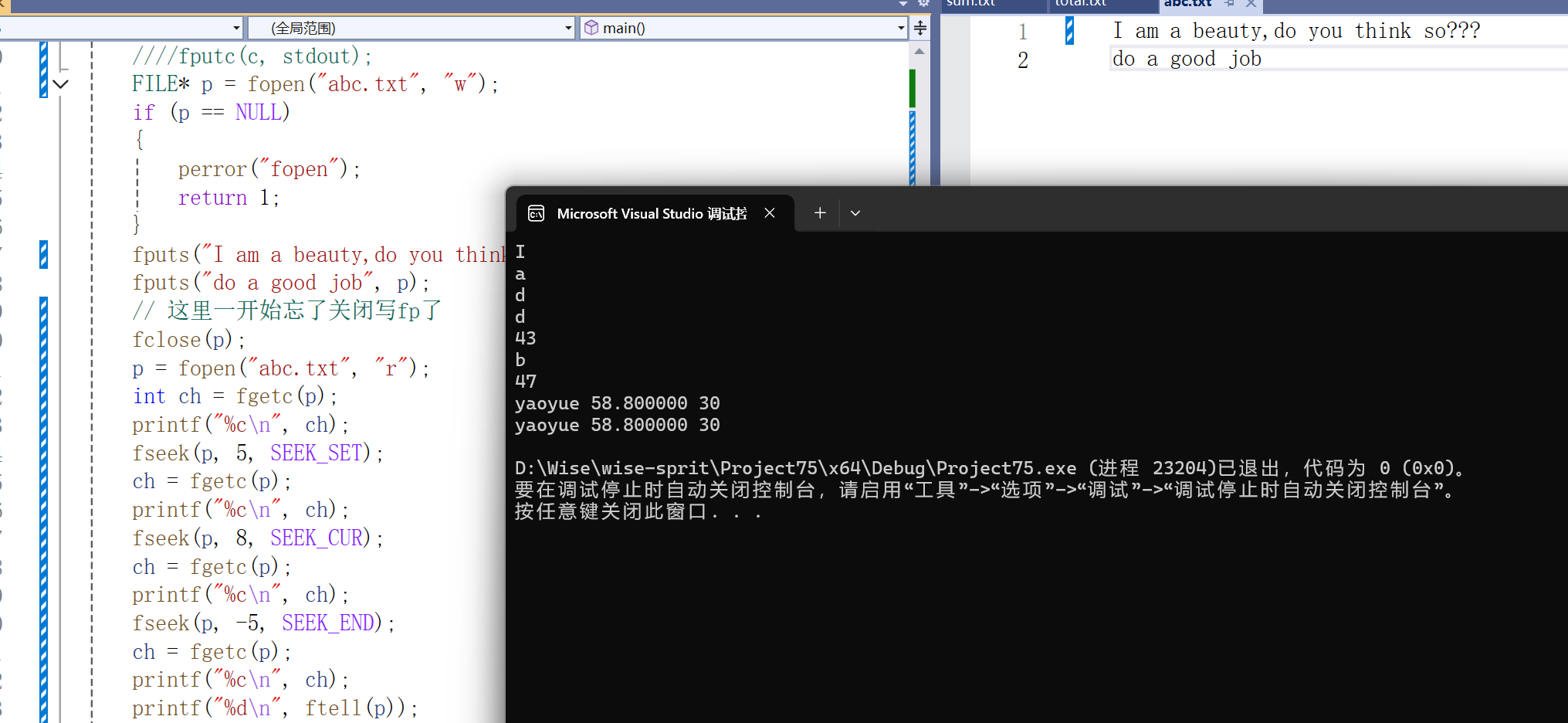
- #include<stdio.h>
- #include<errno.h>
- struct S
- {
- char name[15];
- double score;
- int age;
- };
- int main()
- {
- FILE* p = fopen("abc.txt", "w");
- if (p == NULL)
- {
- perror("fopen");
- return 1;
- }
- fputs("I am a beauty,do you think so???n", p);
- fputs("do a good job", p);
- // 这里一开始忘了关闭写fp了
- fclose(p);
- p = fopen("abc.txt", "r");
- int ch = fgetc(p);
- printf("%cn", ch);
- fseek(p, 5, SEEK_SET);
- ch = fgetc(p);
- printf("%cn", ch);
- fseek(p, 8, SEEK_CUR);
- ch = fgetc(p);
- printf("%cn", ch);
- fseek(p, -5, SEEK_END);
- ch = fgetc(p);
- printf("%cn", ch);
- printf("%dn", ftell(p));
- rewind(p);
- fseek(p, -1, SEEK_END);
- ch = fgetc(p);
- printf("%cn", ch);
- printf("%dn", ftell(p));
- fclose(p);
- p = NULL;
- return 0;
- }
文件读取结束的判定
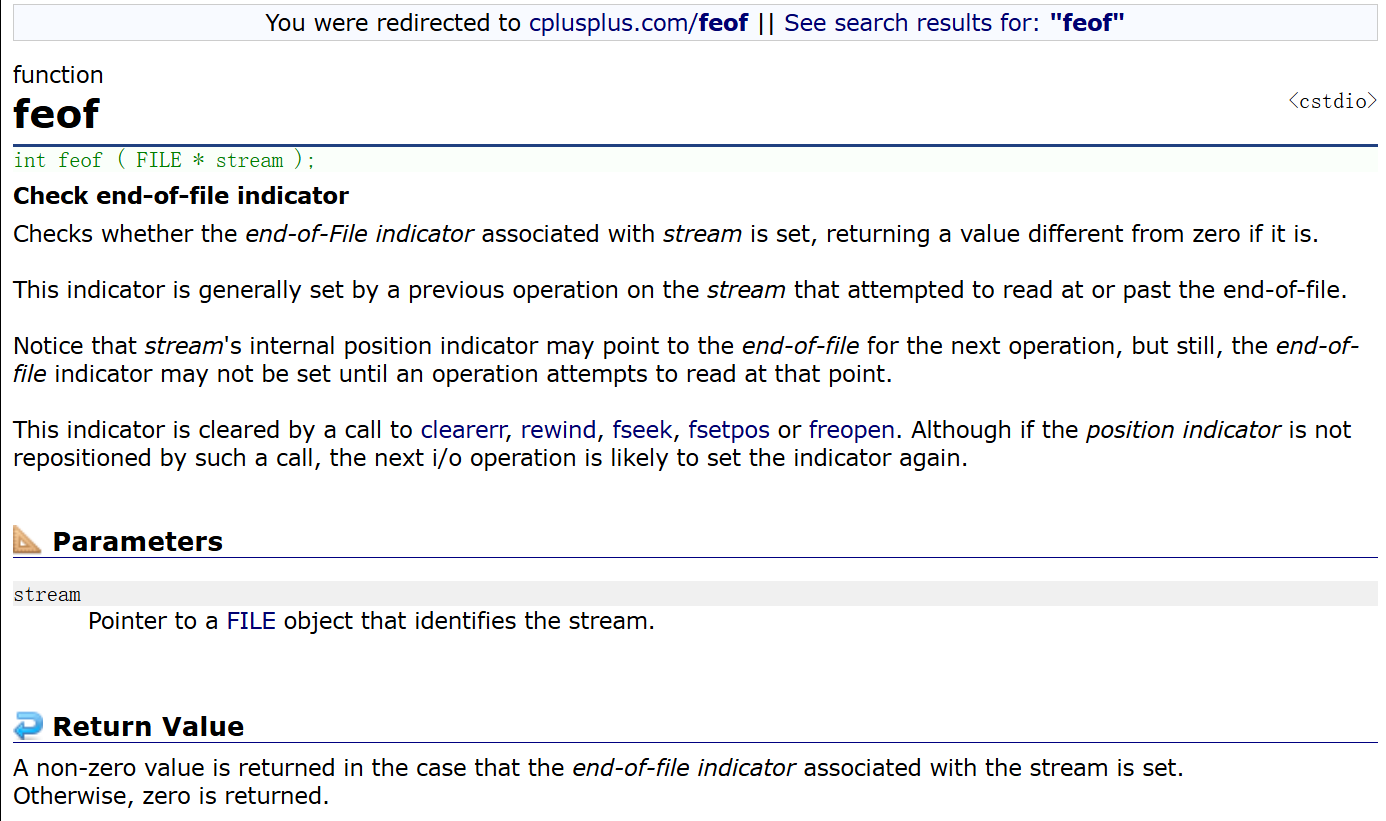
牢记:在文件读取过程中,不能用feof函数的返回值直接用来判断文件的是否结束。
feof的作用是:当文件读取结束时判断读取结束的原因是否是:遇到文件尾结束。
文本文件读取是否结束,判断返回值是否为 EOF ( fgetc ),或者 NULL ( fgets )例如:
fgetc 判断是否为 EOF .
fgets 判断返回值是否为 NULL
二进制文件的读取结束判断,判断返回值是否小于实际要读的个数。例如:
fread判断返回值是否小于实际要读的个数。
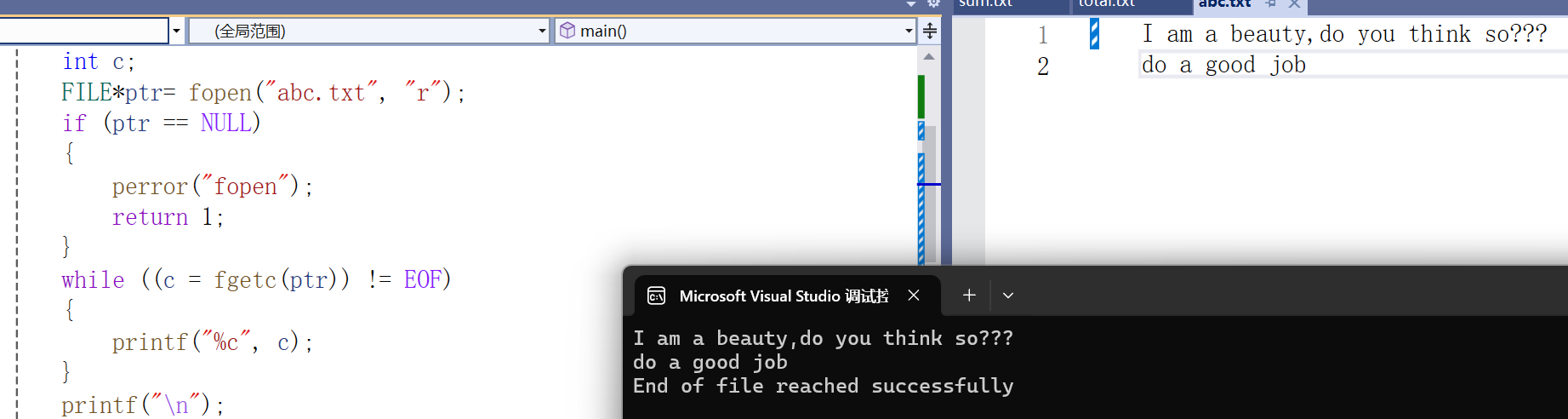
文本文件的例子
- #include<stdio.h>
- #include<errno.h>
- #include<stdlib.h>
- struct S
- {
- char name[15];
- double score;
- int age;
- };
- int main()
- {
- int c;
- FILE*ptr= fopen("abc.txt", "r");
- if (ptr == NULL)
- {
- perror("fopen");
- return 1;
- }
- while ((c = fgetc(ptr)) != EOF)
- {
- printf("%c", c);
- }
- printf("n");
- if (ferror(ptr))
- puts("I/O error when reading");
- else if (feof(ptr))
- puts("End of file reached successfully");
- fclose(ptr);
- ptr = NULL;
- return 0;
- }
二进制文件的例子
- #include<stdio.h>
- #include<errno.h>
- #include<stdlib.h>
- enum
- {
- SIZE=5
- };
- int main()
- {
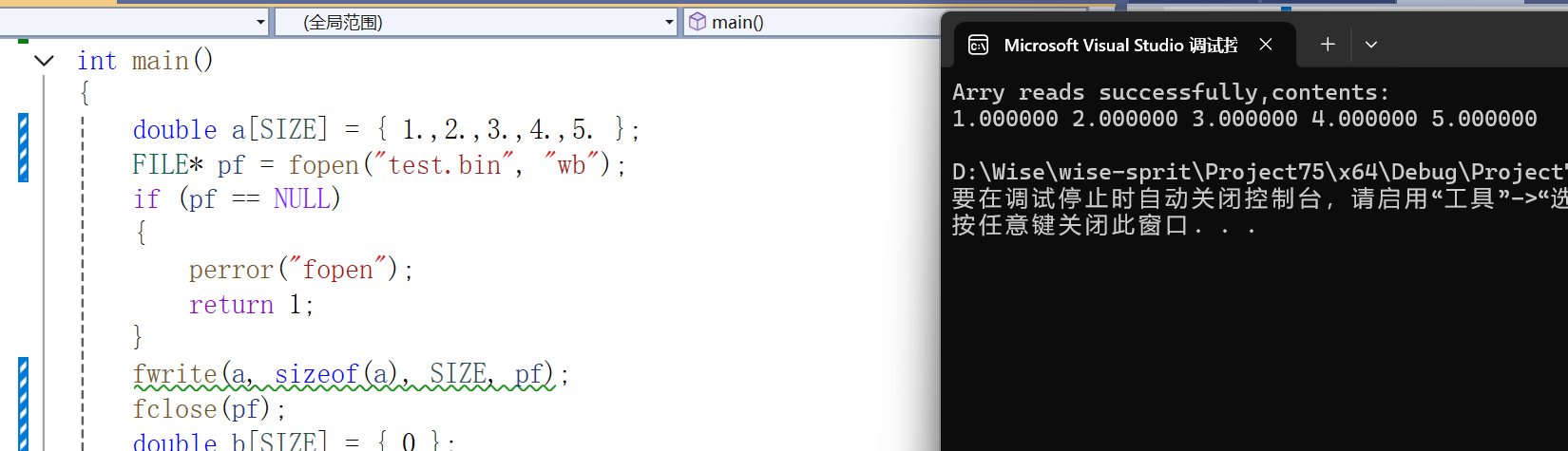
- double a[SIZE] = { 1.,2.,3.,4.,5. };
- FILE* pf = fopen("test.bin", "wb");
- if (pf == NULL)
- {
- perror("fopen");
- return 1;
- }
- fwrite(a, sizeof(a), SIZE, pf);
- fclose(pf);
- double b[SIZE] = { 0 };
- pf = fopen("test.bin", "rb");
- size_t ret = fread(b, sizeof(b), SIZE, pf);
- if (ret == SIZE)
- {
- puts("Arry reads successfully,contents:");
- for (int n = 0; n < SIZE; n++)
- printf("%lf ", b[n]);
- putchar('n');
- }
- else {
- if (feof(pf))
- printf("Error reading test.bin:unexpected end of file");
- else if (ferror(pf))
- perror("Error reading test.bin");
- }
- fclose(pf);
- pf = NULL;
- return 0;
}
#include<stdio.h>
#include<errno.h>
#include<stdlib.h>
enum
{
    SIZE=5
};
int main()
{
    double a[SIZE] = { 1.,2.,3.,4.,5. };
    FILE* pf = fopen("test.bin", "wb");
    if (pf == NULL)
    {
        perror("fopen");
        return 1;
    }
    fwrite(a, sizeof(a), SIZE, pf);
    fclose(pf);
    double b[SIZE] = { 0 };
    pf = fopen("test.bin", "rb");
    size_t ret = fread(b, sizeof(b), SIZE, pf);
    if (ret == SIZE)
    {
        puts("Arry reads successfully,contents:");
        for (int n = 0; n < SIZE; n++)
            printf("%lf ", b[n]);
        putchar('n');
    }
    else {
        if (feof(pf))
            printf("Error reading test.bin:unexpected end of file");
        else if (ferror(pf))
            perror("Error reading test.bin");
    }
    fclose(pf);
    pf = NULL;
    return 0;
}
接下来我们运用以上知识实现文件的拷贝:
- #include<stdio.h>
- #include<errno.h>
- #include<stdlib.h>
- int main()
- {
- FILE* pfread = fopen("D:\yummy.txt", "r");
- if (pfread == NULL)
- {
- perror("fopenn");
- return 1;
- }
- FILE* pfwrite = fopen("D:\light.txt", "w");
- if (pfwrite == NULL)
- {
- perror("fopenn");
- fclose(pfread);
- return 1;
- }
- int ch = 0;
- while ((ch = fgetc(pfread)) != NULL)
- {
- fputc(ch, pfwrite);
- }
- fclose(pfread);
- pfread = NULL;
- fclose(pfwrite);
- pfwrite = NULL;
- return 0;
- }
文件缓冲区
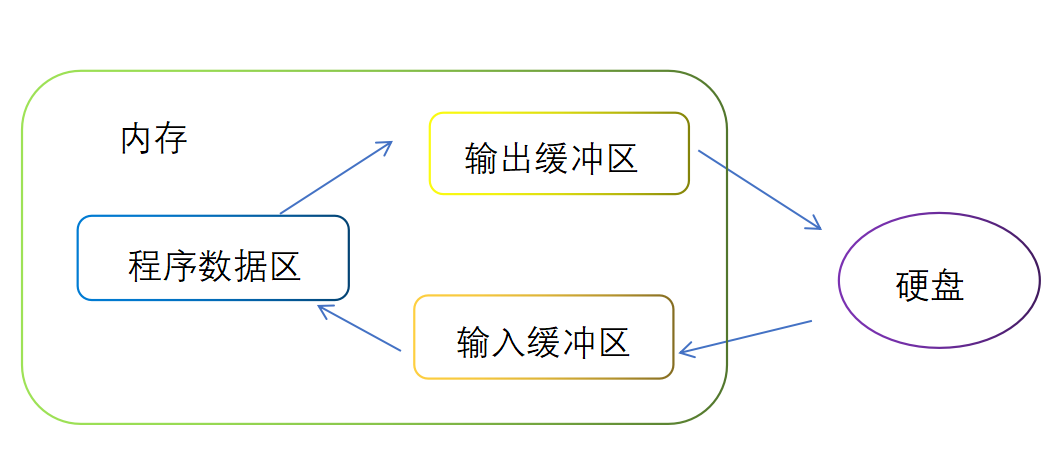
ANSIC标准采用“缓冲文件系统”处理的数据文件的,所谓缓冲文件系统是指系统自动地在内存中为程序中每一个正在使用的文件开辟一块“文件缓冲区”。从内存向磁盘输出数据会先送到内存中的缓冲区,装满缓冲区后才一起送到磁盘上。如果从磁盘向计算机读入数据,则从磁盘文件中读取数据输入到内存缓冲区(充满缓冲区),然后再从缓冲区逐个地将数据送到程序数据区(程序变量等)。缓冲区的大小根据C编译系统决定的。
- #include<stdio.h>
- #include<windows.h>
- //VS2022 WIN11环境测试
- int main()
- {
- FILE* pf = fopen("test.txt", "w");
- fputs("iga won the champion", pf);
- //先将代码放在输出缓冲区
- printf("睡眠10秒-已经写数据了,打开test.txt文件,文件没有内容了n");
- Sleep(10000);//10秒
- printf("刷新缓冲区n");
- fflush(pf);//刷新缓冲区时才将输出缓冲区的数据写到文件(磁盘)
- //注:fflush在高版本的VS上不能使用了
- printf("再睡眠10秒-此时,在此打开test.txt文件,文件有内容了n");
- Sleep(10000);
- fclose(pf);
- //注:fclose在关闭文件时,也会刷新缓冲区
- pf = NULL;
- return 0;
- }
我们可以自行测试一下。
这里可以得出一个结论:
因为有缓冲区的存在,C语言在操作文件的时候,需要做刷新缓冲区或者在文件操作结束的时候关闭文件。
如果不做,可能导致读写文件的问题。
© 版权声明
文章版权归作者所有,未经允许请勿转载。